Atlassian Cloud Migration Services for Jira, Confluence & JSM

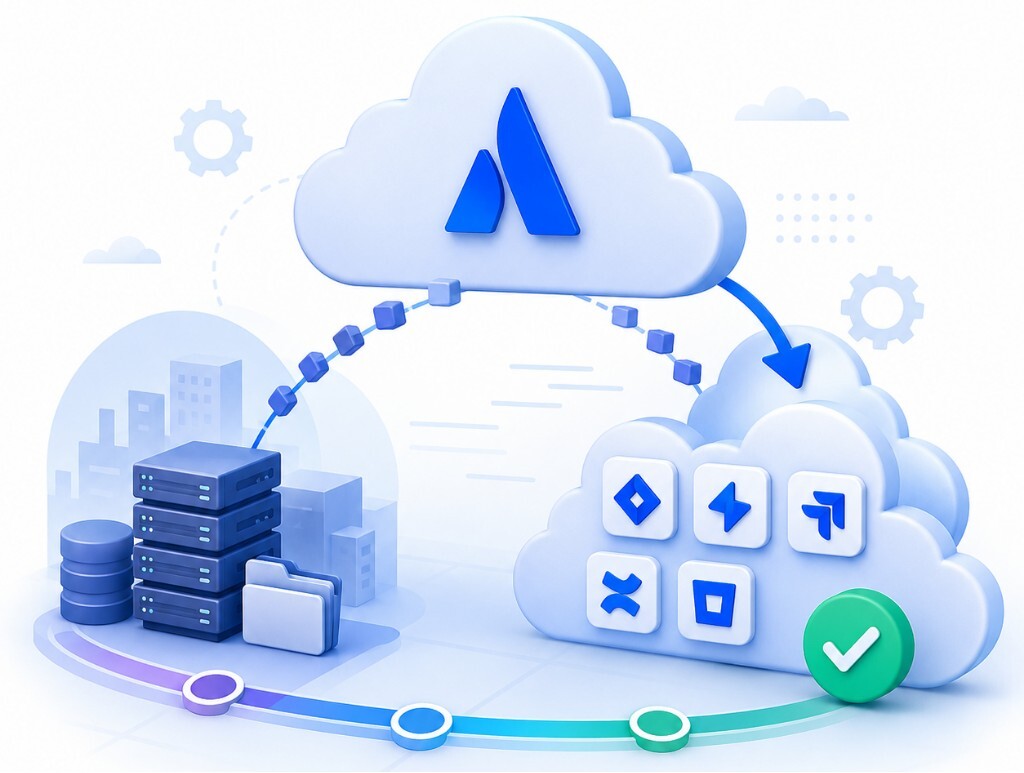
Atlassian Cloud Migration is the move of your Jira, Confluence, Jira Service Management and Bitbucket data, users, apps and workflows from Server or Data Center to Atlassian Cloud. Empyra's Atlassian Cloud Migration Services plan, test and run that move end to end, so your teams keep working and every project, space and ticket arrives verified.

As an Atlassian Platinum Solution Partner with the Atlassian Cloud Migration specialization, 80+ certified consultants, we handle Data Center to Cloud, Server to Cloud and cloud-to-cloud migrations for organizations ranging from small teams to large global enterprises.

Trusted by 1000+ happy Enterprises Globally

Empyra Atlassian customer logos
Empyra Atlassian customer logos (1)
Empyra Atlassian customer logos (2)
Empyra Atlassian customer logos (3)
Empyra Atlassian customer logos (4)
Empyra Atlassian customer logos (5)
Empyra Atlassian customer logos (6)
Empyra Atlassian customer logos (7)

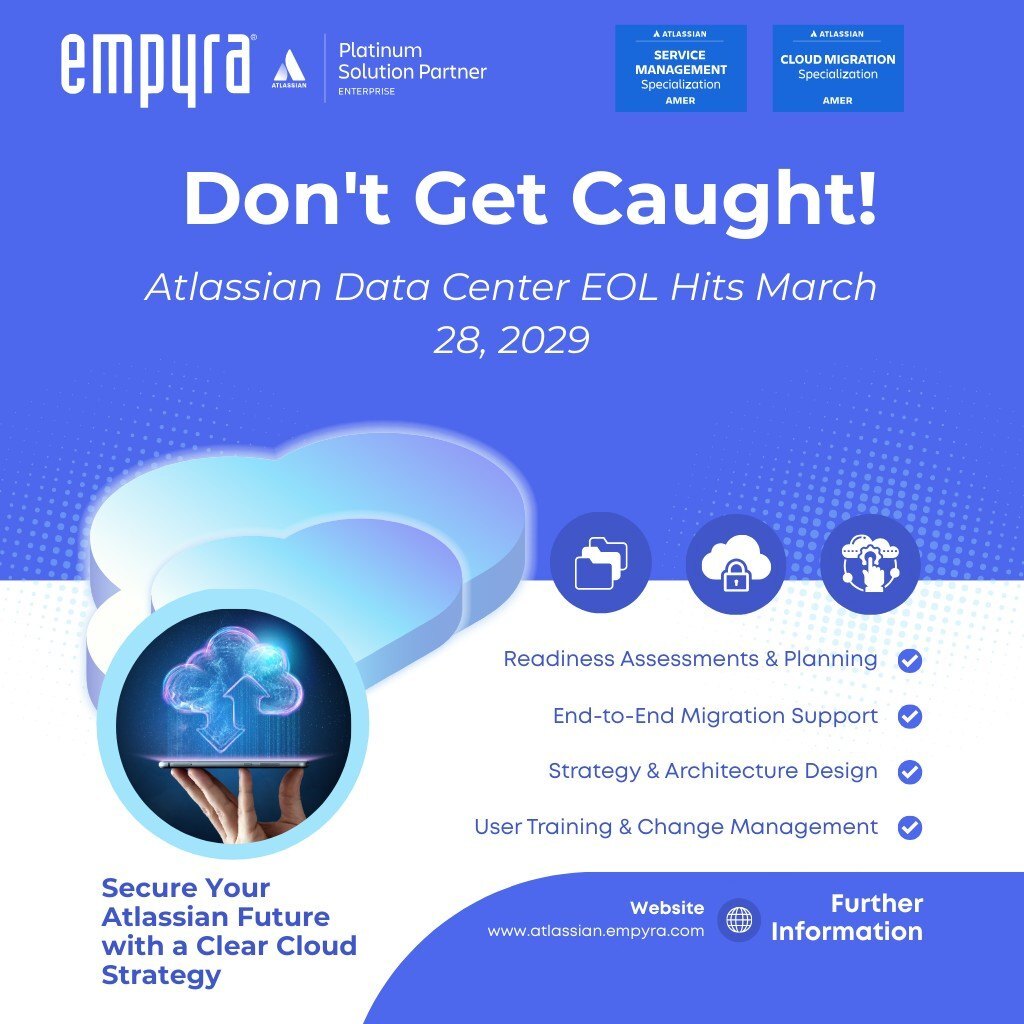
Atlassian Server Support Has Ended Data Center Reaches End of Life on March 28, 2029

Atlassian ended support for all Server products on February 15, 2024. Data Center is next. Atlassian has set a staged end of life for Jira, Jira Service Management, Confluence and Crowd Data Center. After March 28, 2029, those licences expire and instances become read-only, with no support, bug fixes or security patches.

 Date  What changes 
 February 15, 2024 End of support for all Atlassian Server products
 December 16, 2025 No new Data Center app submissions to the Atlassian Marketplace
 March 30, 2026 End of Data Center licence sales to new customers
 March 30, 2028 End of Data Center licence sales to existing customers, including expansions
 March 28, 2029 Data Center end of life: support ends and instances become read-only

Bitbucket and Bamboo Data Center are not part of this end of life. Existing customers move to a Bitbucket Hybrid License instead. Extended maintenance beyond 2029 is available only by exception, at extra cost. Atlassian advises larger customers to allow about a month of testing alone, so an Atlassian Cloud migration started in 2026 leaves time to test properly, migrate apps and train teams before the deadline.
Support for Atlassian Server products officially ended

Our Atlassian Cloud Migration Services

Data Center to Cloud Migration

Move Jira, Confluence and Jira Service Management from Data Center to Atlassian Cloud well before the March 2029 end of life. We assess your instance, clean up data and apps, run test migrations and plan a cutover window that suits your release calendar. Large and regulated environments are our focus. 

Server to Cloud Migration

Still on Server? Your instance has had no security fixes since February 2024. Our Atlassian Server to Cloud migration moves your projects, spaces, users and supported apps to Cloud, and replaces apps or scripts that have no cloud version. 

Jira On-Premise to Cloud Migration

Our Jira cloud migration covers Jira Software and Jira Service Management on Server or Data Center: projects, issues and history, workflows, custom fields, boards, automation rules, permissions and integrations. We use the Jira Cloud Migration Assistant where it fits and our own scripts where it doesn't. We set up Atlassian Guard for SSO and user provisioning. 

Bitbucket and DevOps Tool Migration

Move repositories, pipelines and integrations to Bitbucket Cloud, or keep Bitbucket Data Center under Atlassian's Bitbucket Hybrid License while Jira and Confluence move to Cloud. We reconnect your CI/CD, deployment and development tool integrations so engineering work continues during the migration. 

Cloud-to-Cloud Migration and Site Consolidation

Merging Atlassian Cloud sites after an acquisition, consolidating several sites into one, or splitting a site for a divestiture are all cloud-to-cloud migrations. They look simple, but cloud-to-cloud tooling doesn't move everything. App data, project keys, custom fields and user accounts often collide. Empyra maps every conflict before the move, tests in a sandbox, migrates in planned batches and cleans up afterwards, including the licence and plan changes on the target site. 

Atlassian Cloud Migration Strategy and Planning

 A successful Atlassian Cloud migration begins with a well-defined strategy rather than a direct data transfer. Proper planning helps organizations align business objectives, evaluate technical requirements, address compliance considerations, and create a scalable foundation for future growth. By establishing a clear migration roadmap, teams can minimize risks, reduce disruptions, and ensure a seamless transition to the cloud.  

Assessing Migration Readiness

Before initiating migration, it is essential to evaluate your existing Atlassian environment. This includes analyzing user counts, reviewing projects and Confluence spaces, assessing integrations, and identifying Marketplace app dependencies to determine migration complexity and readiness. 

Creating a Migration Roadmap

A structured migration roadmap helps organizations define clear objectives, establish realistic timelines, allocate resources effectively, and create measurable milestones. It also ensures stakeholders remain informed through a comprehensive communication and change management strategy. 

Migration Risk Assessment

Identifying potential migration risks early helps reduce disruptions and unexpected challenges. Key considerations include downtime impact, data integrity, security requirements, app compatibility issues, and user adoption concerns that may affect migration success. 

Risk

How Empyra reduces it

An app has no cloud version

Find a cloud alternative, rebuild the function with automation, or build a Forge app

Data is incomplete after the move

Full backup, at least one test migration, record-count and attachment checks before sign-off

Cutover takes longer than planned

Time the test migration, set a read-only window, rehearse the runbook and keep a rollback plan

Users can't sign in on day one

Verify domains and set up Atlassian Guard SSO early. Atlassian says domain verification can take up to 72 hours

Links and integrations break

Run Atlassian's link-fixing steps and reconnect integrations as part of post-migration tasks

Teams don't adopt the new site

Communication plan, champions, role-based training and a hypercare period

Selecting the Right Migration

The right approach depends on your user count, how many apps and customisations you rely on, and how much downtime you can accept. Atlassian recommends a lift-and-shift for most teams migrating 10,000 users or fewer. Larger or more complex environments usually need a phased plan with a specialized partner.

Approach How it works Best fit Downtime Watch-outs
Lift and shift Everything moves in one planned cutover Up to 10,000 users; key apps available in Cloud One window, usually a night or weekend, with the source set to read-only Every critical app must have a cloud version or a replacement
Optimize and shift Clean up workflows, custom fields, inactive users and unused apps first, then move in one cutover Older, heavily customised instances One window Longer preparation, but a faster, cleaner Cloud site
Phased Move in 2-4 waves by team, project or product Over 10,000 users, several instances, consolidation or data segmentation A short window per wave Configuration drift between waves; users work in two systems for a while
Incremental Data syncs ahead of time, then a short final read-only window Large instances that can't accept a long freeze, where Atlassian's migration assistants support it Shortest Needs careful delta testing
Start fresh Build a new Cloud site and move only what you need Small teams, or legacy setups not worth keeping None History left behind must be archived or exported


Atlassian Cloud Migration Strategy

Marketplace App Migration and Compatibility Assessment

Marketplace App Discovery and Audit

A comprehensive app audit begins with creating an inventory of installed Marketplace apps across Jira and Confluence. This process evaluates app usage, identifies business-critical applications, and maps dependencies to understand their impact on the migration strategy. 

Cloud Compatibility Evaluation

Not all Marketplace apps offer the same functionality in the cloud. Compatibility assessments determine which apps are cloud-ready, which require replacements, and how feature differences may affect users while leveraging available vendor migration support. 

App Data Migration Strategy

A well-defined app migration strategy ensures data is transferred accurately and securely. This includes data mapping, understanding migration limitations, validating migrated information, and implementing backup procedures to protect business-critical application data. 

Post-Migration App Testing

After migration, rigorous testing verifies that apps function as expected in the cloud environment. Functional testing, user acceptance testing, workflow validation, and performance checks help ensure a seamless experience for end users. 

Atlassian Cloud Migration Tools and Programmes We Use

Atlassian's free migration tools are a strong starting point, but they aren't a one-click migration. App data, scripts, complex workflows and large attachments often need extra work. Empyra combines Atlassian's tools with our own scripts, checklists and validation reports.

Migration Tools and Programmes: What Each Does and How Empyra Uses It

Tool or programme

What it does

How Empyra uses it

Jira Cloud Migration Assistant (JCMA)

Free Atlassian app that moves Jira Software and Jira Service Management projects, users, groups and supported app data

Test and production migrations; scripts for anything it can't move

Confluence Cloud Migration Assistant (CCMA)

Moves Confluence spaces, pages, attachments and users

Space-by-space planning, macro and link checks

Bitbucket Cloud Migration Assistant (BCMA)

Moves repositories to Bitbucket Cloud

Repository waves planned around release freezes

Portfolio Insights

Free assessment in Atlassian Administration covering your footprint, migration readiness and Marketplace apps

The starting point for our readiness assessment

Cloud migration trial

Free Cloud sandbox for Data Center customers, for the length of your Data Center subscription (up to 12 months) and up to 20,000 users per app

Test migrations and user acceptance testing before you pay for Cloud

FastShift

Atlassian's complimentary programme for organisations moving 1,000+ users to Cloud on a 3-6 month timeline with an executive sponsor

For eligible customers, we deliver the hands-on migration work (assessment, test migrations, app and user validation, cutover) alongside Atlassian’s programme support.

Atlassian Guard

SSO, user provisioning, directory sync and security policies (formerly Atlassian Access)

Identity set up and tested before cutover

Empyra is trusted by enterprises for end-to-end Atlassian cloud migration services.

icon1

Jira software

Task tracking and management tool.

Agile project management software.

Issue tracking and resolution platform.

Workflow customization for diverse projects.

icon1

Bitbucket

Version control for code repositories.

Collaborative code review platform.

Integration with CI/CD pipelines.

Secure code deployment facilitation tool.

icon1

Jira Service Management

IT service request management platform.

Incident and problem resolution system.

Change management for ITIL compliance.

Self-service knowledge base creation

icon1

Confluence

Collaborative document creation and editing.

Team knowledge sharing and collaboration.

Centralized project and task documentation.

Real-time feedback and review platform.

Jira Cloud Migration Services

Jira Project Migration

Jira project migration involves transferring projects, issues, workflows, boards, and associated configurations from Server or Data Center to Cloud. Proper planning ensures project data remains accurate, accessible, and fully functional after migration. 

Custom Fields & Configurations

Many Jira environments contain extensive customizations that require detailed assessment before migration. This includes custom fields, screens, schemes, field mappings, and automation rules to ensure configurations operate correctly in Atlassian Cloud. 

User & Permission Migration

User migration focuses on securely transferring user accounts, groups, project roles, and permission schemes. Maintaining appropriate access controls and security settings helps ensure a seamless transition while preserving governance requirements. 

Jira Integrations Migration

Organizations often rely on Jira integrations with DevOps platforms, CI/CD pipelines, third-party applications, and custom APIs. Migration planning ensures these connections are evaluated, reconfigured, and validated to maintain operational continuity in the cloud. 

Confluence Cloud Migration Services

Space Migration Planning

Successful Confluence migrations begin with evaluating space hierarchy, content structure, and organizational requirements. Planning also includes identifying obsolete content and developing an archive strategy to improve content quality and simplify cloud adoption. 

Content and Attachment Migration

Migrating Confluence content involves transferring pages, attachments, templates, labels, and related assets while maintaining content integrity. Proper validation helps ensure information remains searchable, accessible, and accurately structured in the cloud environment. 

Macro Compatibility Assessment

Many Confluence instances rely on macros that may behave differently in the cloud. Compatibility assessments identify legacy macros, evaluate cloud alternatives, validate content rendering, and address custom macro requirements before migration.

Permission and User Access

Management Maintaining secure access to knowledge resources is essential during migration. This process includes reviewing space permissions, user groups, access controls, and security settings to ensure users retain appropriate access after the transition to Atlassian Cloud. 

Jira Service Management Cloud Migration

Service Project Migration

Service project migration involves transferring service requests, queues, workflows, and SLA configurations to the cloud environment. Proper mapping ensures that support processes remain consistent, and service teams can continue delivering timely resolutions without disruption.

Customer Portal Migration

The customer portal is a critical touchpoint in Jira Service Management. Migration includes transferring portal configurations, request forms, branding elements, and customer access settings to ensure a seamless and familiar experience for end users after migration. 

Knowledge Base Integration

Knowledge base integration ensures that support teams and customers continue to access relevant documentation after migration. This includes linking Confluence articles, maintaining permissions, and validating article visibility across service projects. 

Assets and CMDB Migration

Assets and CMDB migration involves transferring asset schemas, object types, relationships, and configuration data. A structured validation process ensures data accuracy, integrity, and consistency across the asset management system in the cloud environment. 

Security

Security, Identity and Compliance in Your Atlassian Cloud Migration

Moving to Atlassian Cloud changes who manages what. Atlassian runs and secures the infrastructure; your team still owns users, permissions and data governance. We set up that side properly before cutover. 

Identity and access

Atlassian Guard for SAML single sign-on, user provisioning from your identity provider, enforced two-step verification and API token controls. We verify your domains early, because Atlassian notes this can take up to 72 hours. 

Users and groups

We map users and groups, remove inactive accounts before you pay for them in Cloud, and merge duplicate accounts. 

Permissions

We review project, space and service-desk permission schemes and admin roles, so Cloud starts with least-privilege access. 

Data residency

For supported products and plans, Atlassian lets you choose where in-scope data is stored. We configure this for teams with regional data rules. 

Compliance

Atlassian publishes its certifications, including ISO/IEC 27001 and SOC 2, on the Atlassian Trust Center. For public-sector and highly regulated teams, Atlassian also offers Government Cloud and Isolated Cloud options. 

Data integrity

We take full backups before every migration run, and validate record counts, attachments and permissions after each test and production run. 

Free Atlassian Cloud Migration Guide

data-migration-guide

This guide is designed to help you navigate the prep work that will make your migration adventure as smooth as possible, and choose the path that’s right for you when you come to a fork in the road. You’ll also get tips for successfully administering, optimizing, and scaling your cloud instance once your migration is complete.

Key Considerations Before You Migrate to Atlassian Cloud

Assess Current Setup

Assess Current Setup

Data Migration Strategy

Data Migration Strategy

Customizations and Integrations

Customizations and Integrations

User Training and Communication

User Training and Communication

Security and Compliance

Security and Compliance

Performance and Scalability

Performance and Scalability

Cost Analysis

Cost Analysis

Testing and Validation

Testing and Validation

Deciding if Cloud Migration Is needed?

Migrating to Atlassian Cloud is a deal and you need to make the right choice. Deciding to move to the Atlassian Cloud could depend on what your organization needs. If it is ready. You should think about the following things:

  • Do you have teams that work in places and at different times of the day?

  •  Do you use a lot of apps and do they work with other applications? 
  •  Do you want the Atlassian Cloud to be more secure, than the server or data center you have now? 
undraw_detailed_analysis_re_tk6j (1)

Are you a global enterpriseor a small business?

Find out how companies of all sizes win after migrating to Atlassian Cloud.

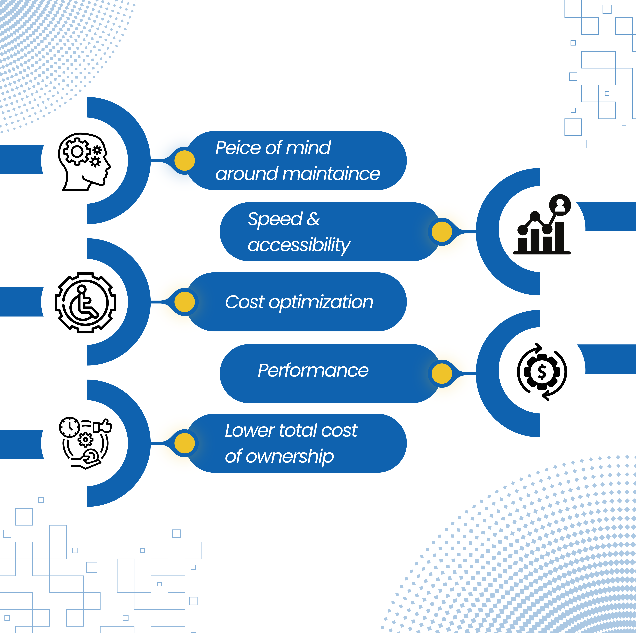
Benefits of Atlassian Cloud Migration Services

Our Atlassian Cloud Migration Services focus on speed and business value - not just the move itself. Companies want to get the benefits of Atlassian Cloud migration such as

  • Improved Business Agility and Flexibility with Atlassian Cloud migration 
  • The Atlassian Cloud migration gives us scalability and security

  • APPS and integrations
  • No downtime and maintenance
  • Access to cloud service models - SaaS, PaaS, and IaaS
  • Improved operational efficiency
  • Streamlined IT infrastructure
Cloud Migration

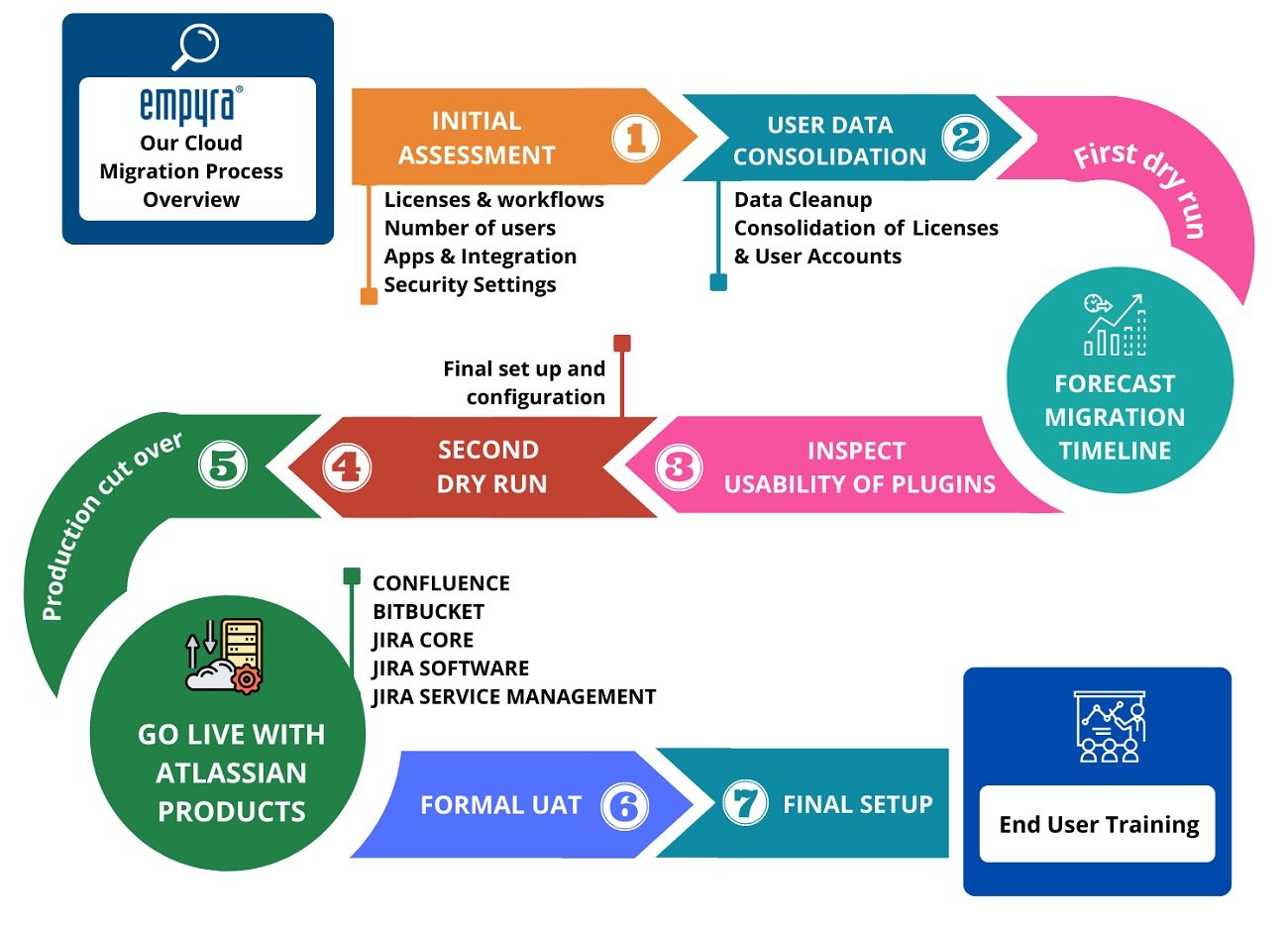
Our Atlassian Cloud Migration Process in Six Phases

Assess: We review users, projects, spaces, apps, integrations and data volume using Portfolio Insights and our own audit. You receive a readiness report with risks, an approach and an estimate. 


Plan: We choose the approach and agree the timeline. We write a runbook with steps, owners and timings, plus a rollback plan and a communication plan. 


Prepare: We clean up data, users and apps; set up the Cloud site, Atlassian Guard and cloud apps; and build scripts for anything the migration assistants can't move. 


Test: We run timed test migrations in a cloud migration trial or sandbox, and your users complete acceptance testing on real data. We repeat until results are clean. 


Migrate: We set the source to read-only, run the production migration in the agreed window, validate counts, permissions and links, and reconnect integrations. 


Launch and optimise: You sign off and we run hypercare. We train admins and users and track adoption. Then we help you use cloud-only features such as Rovo and automation.
 

Journey-Migration-2-1

Post-Migration Support: Hypercare, Administration and Adoption

An Atlassian Cloud migration isn't finished at cutover. Our post-migration support keeps teams productive in the weeks that matter most: 

Hypercare

4 weeks of priority support after go-live. We fix access issues, broken links, app settings and integration errors, so your teams aren’t left to troubleshoot on their own

Admin handover

We train your admins on Cloud administration, Atlassian Guard and Atlassian’s Cloud release cadence. You also get documentation of every change we made, so nothing about your environment is a mystery.

Adoption

We provide role-based training, build a champions network and track adoption for the first 30 days, including logins, feature use and support tickets.

Optimization

We right-size your licenses and remove unused apps. Then we help you roll out Cloud-only capabilities such as Rovo AI search and agents, and Jira automation.

Ongoing managed services

For teams that want a long-term partner, we offer optional Atlassian Cloud administration and support from our US and India teams.

Atlassian Cloud licenses 

image-1

We help you get Atlassian Cloud licenses easily and manage them properly. Our team is always available to guide and support you. We make sure your licenses are just right for a move to the Atlassian Cloud.

As an Atlassian Platinum solution partner we give value to companies that need a simple and flexible way to buy licenses in bulk. You can easily use Atlassian Cloud services and software licenses. Get apps from the Marketplace. Atlassian Cloud licenses are what we focus on to make things easy for you. Atlassian Cloud licenses are important for a transition, to the Atlassian Cloud environment.

Why Choose Empyra as Your Atlassian Cloud Migration Partner

Who should manage your Atlassian Cloud migration project? Choose a partner Atlassian has verified for migrations. Empyra is an Atlassian Platinum Solution Partner with the Atlassian Cloud Migration specialization.

Atlassian Platinum Solution Partner

We hold Atlassian specializations in Cloud Migration, Service Management, Software Development and Teamwork Foundations. Atlassian has verified our delivery across the products you’re moving.

80+ Atlassian-certified consultants

Your migration is run by certified experts who know Jira, Confluence, Jira Service Management and Bitbucket inside out, so complex configurations and app dependencies are handled by people who have seen them before.

15+ years of Atlassian delivery

We have handled Server, Data Center and cloud-to-cloud migrations for over a decade and a half, so we know the common pitfalls and plan around them.

1,000+ customers globally

Organizations such as Rakuten, Tufts University, Victoria’s Secret and the University of California Office of the President have trusted us with their Atlassian environments.

One team from migration to AI

The same team supports you across Jira Service Management, Rovo, license management and custom Forge apps after go-live, so you never have to explain your environment to a new vendor.

Cloud Migration Case Study

Find how Empyra made possible a near-zero downtime Atlassian Cloud Migration for Rakuten. Read this case study that outlines the cloud migration journey and the benefits that followed along with the successful migration to the Atlassian cloud.


Rakuten-case-study-1

Rakuten – Case Study

Discover how Empyra helped Rakuten migrate to the Atlassian Cloud and enforce 2FA while saving on infrastructure costs.

What Our Customers Have to Say

"Empyra has been extremely helpful in getting Cohen & Company’s Atlassian environments up and running. They have been able to provide great guidance in the options available and also have been able to execute on implementation of those options in a timely and effective manner. They have helped us bring in other departments outside of IT to utilize the service desk options to manage requests and workflows with great reviews from those teams."

Group 37380

Chief Technology Officer

Cohen and Company

"The Empyra consultant has allowed us to take the use of Atlassian's Jira product to new levels across the organization, providing significant improvements in workflows in IT as well as many Finance and Operations teams. There have been some complex requests that Empyra have dealt with, and all have been completed professionally, collaboratively, and efficiently. Empyra have always been super responsive, and are keen to work with the various OTC teams to solve their individual business needs."

Group 37380 (1)

Roger Abrahams, Senior Vice President - IT

OTC Industrial Technologies

"As our exclusive Atlassian partner, we brought Empyra in to plan, execute and manage our Atlassian migration to the cloud. From pre to post migration activities and support, Empyra was there to support our project team every step of the way. The migration went as smoothly as possible, and there was no major impact to our business operations."

Group 37380 (2)

Sr. Manager, Portfolio Management

"I was very pleased with the consistent can-do attitude the Empyra team brought to each meeting, they quickly came up with solutions, suggestions, recommendations on our various challenges and pitfalls during the migration. My team and I really appreciated that the Empyra team made themselves available 24/7 to troubleshoot with us or answered any questions raised in a timely manner."

Group 37380

Sr. Manager, Portfolio Management

"I'd like to extend a heartfelt thank you to the Empyra team for their exceptional support during our migration of Confluence and Jira from server to cloud including 14 managed apps. Their expertise and dedication were instrumental in navigating this complex transition smoothly. We truly couldn't have achieved this milestone without their guidance and hard work. Their efforts were a crucial factor in the success of our migration project, and we are deeply appreciative of their partnership. Thank you, Empyra, for being such a reliable and effective ally in our journey to the cloud!"

Group 37380 (1)

Gavi Ornelas-Morales, Tools Support, Supervisor

University of California Office of the President

Understanding Atlassian Cloud – Must Read

Here are some reference materials that will help you move forward with the Cloud Migration journey and make the right decisions for your business.
The-path-to-Jira-Cloud-migration-1

Path to Jira Cloud Migration

Move faster, improve productivity and say goodbye to manual server upgrades by moving to Atlassian Cloud. Download the Case study for a quick view of the cloud migration journey.
overlay-3

Jira Software Feature Comparison

A reference guide on the various features of Jira Software Cloud Plans – Free, Standard, Premium, and Enterprise. Helps you choose the right features and functionality for your business!
overlay-4

JSM Feature Comparison

A reference guide on various features of Jira Service Management Cloud Plans – Free, Standard, Premium, and Enterprise. Helps you choose the right features and functionality for your business!
The-path-to-Jira-Cloud-migration-1

overlay-3

overlay-4

Articles

Our Cloud Blogs

October 23, 2026
Atlassian AI agents are becoming visible, accountable teammates, and AMP (Agentic Multiplayer Protocol) is the
October 14, 2026
Jira automation pricing no longer counts flow runs. It counts steps: every trigger, condition, action, branch
October 13, 2026
Most sales teams do not lose deals because of a weak product. They lose them because the sales pipeline is mes
Articles

Our Latest Blogs

October 23, 2026
Atlassian AI agents are becoming visible, accountable teammates, and AMP (Agentic Multiplayer Protocol) is the
October 14, 2026
Jira automation pricing no longer counts flow runs. It counts steps: every trigger, condition, action, branch
October 1, 2026
The right number of Rovo credits per user is whatever your team's measured behavior consumes, not the plan all

Customer Success Stories for Atlassian

See What our customers have to say

Tufts-University_case_study
Tufts University
rakuten-min
Rakuten
victoria-secret-min
Victoria’s Secret
jira-work_converted
Jira Work Management Implementation
OTC_case_study
OTC
Financial-Data-Company-Cloud-Adoption-Success-Story_converted
Financial Data Company Cloud Adoption Success Story

Book a free consultations with our experts

Let’s talk about your challenges and how we can solve them—fill out the form and start your Atlassian journey with confidence.

Untitled design (21)-1

Frequently Asked Questions

What are Atlassian Cloud Migration Services?

Atlassian Cloud Migration Services move your Jira, Confluence, Jira Service Management and Bitbucket data, users, apps and workflows from Server or Data Center to Atlassian Cloud. Empyra's services cover assessment, planning, clean-up, test migrations, the production move, validation and post-migration support, run by an Atlassian Platinum Solution Partner. 

How much does an Atlassian Cloud migration cost?

Cost depends on users, products, data volume, Marketplace apps, custom scripts and how much downtime you can accept. Atlassian bills the Cloud subscription; Empyra's migration services are scoped separately. A free consultation gives you an estimate, and we also check which Atlassian migration incentives apply to you. 

Will an Atlassian Cloud migration disrupt our business?

Disruption is limited to a planned cutover window, usually a night or weekend, when the source is read-only. Test migrations beforehand time that window precisely. Phased or incremental approaches shorten it further for large teams. In our Rakuten migration, downtime was close to zero. 

What is included in an Atlassian Cloud migration?

Assessment, migration plan and runbook, data and user clean-up, Cloud site and Atlassian Guard setup, app migration or replacement, test migrations, user acceptance testing, the production migration, validation, link and integration fixes, training and hypercare. 

Which Atlassian products can be migrated to Cloud?

Jira Software, Jira Service Management, Confluence and Bitbucket, along with their data, users, permissions and supported Marketplace apps. Bitbucket and Bamboo Data Center customers can also stay on-premises under Atlassian's Bitbucket Hybrid License. 

How long does an Atlassian Cloud migration take?

It depends on how big your environment's how many projects you have and what apps and integrations you use. We do a check at the beginning to figure out how long it will take and when we will be done.

How does Empyra protect data security and integrity?

We back up before every run, test-migrate first, and validate record counts, attachments and permissions after each run. We set up Atlassian Guard SSO and least-privilege permissions, and data residency where your plan supports it. 

When does Atlassian Data Center reach end of life?

March 28, 2029, for Jira, Jira Service Management, Confluence and Crowd Data Center. Atlassian stopped selling Data Center licences to new customers on March 30, 2026, and stops selling to existing customers, including expansions, on March 30, 2028. 

What happens if we don't migrate before Data Center end of life?

Your licence expires and the instance becomes read-only, with no support, bug fixes or security patches. Atlassian offers extended maintenance only by exception, at extra cost, and recommends not keeping a read-only instance connected to the internet. 

What is an Atlassian cloud-to-cloud migration?

It moves data between Atlassian Cloud sites, for example to merge sites after an acquisition or to consolidate several sites into one. Project keys, custom fields, users and app data must be mapped first, because they often conflict between sites. 

How many users can Atlassian Cloud support?

Atlassian states that Cloud supports up to 100,000 Jira users and up to 250,000 Confluence users on a single site, so most enterprises can move without splitting their instance. 

Migrating to cloud can deliver an ROI of over 350%. Download the full Forrester report for more insights.

Cloud report screenshot (1)