
Every business plan looks solid on paper until the people needed to deliver it are not there. A launch starts two designers short, a key engineer resigns mid-quarter, and a hiring request waits three weeks in someone’s inbox. Most of these surprises trace back to one cause: headcount and skills are planned in spreadsheets that were outdated the moment they were saved.
That is why HR, finance, and operations teams are adopting workforce planning software. The right platform shows who you have, what you will need, and where the gap is, before it costs you a deadline. In this guide, we compare 15 workforce planning tools for 2027, covering features, pricing, and honest pros and cons, and show where monday.com fits in. Whether you need enterprise workforce planning software or a flexible option for a growing team, the comparison below will help you shortlist faster. We cover what the software does, which features matter, how 15 workforce planning tools compare, and how to choose and roll out the right one.
As a monday.com Platinum Solution Partner, Empyra helps teams put these platforms to work every day through monday.com implementation, integration, and AI services, so our advice comes from real projects.
1. Quick Summary: Which Workforce Planning Software Is Right for You?
Short on time? Here is the quick version of this workforce planning tools comparison. Each pick matches a common business need, from flexible team planning to finance-led enterprise modeling. Jump to the full reviews below for features, pricing, and pros and cons. Each of the workforce planning tools is reviewed in the same format, so you can compare them side by side.
- Best overall for flexibility: monday.com
- Best for finance-led planning: Workday Adaptive Planning and Anaplan
- Best for people analytics: Visier
- Best for org design: Orgvue
- Best for shift-based teams: Planday
Key Takeaways
- Proactive planning beats reactive hiring: the best workforce planning tools help you anticipate skill gaps and align talent with long-term business goals.
- Real-time visibility drives better decisions: live dashboards and AI analytics in workforce planning tools show capacity, performance, and future hiring needs.
- Integration creates clarity: connecting HR, finance, and project systems to your workforce planning tools removes silos and keeps data consistent.
- Flexibility matters: a customizable platform such as monday.com adapts as priorities change, including for tech teams that use monday dev.
- Fit beats features: the right workforce planning software matches your size, systems, and goals.
2. What Is Workforce Planning Software?
Workforce planning software is a system that helps organizations forecast the people, skills, and budget they will need, then compare that against what they have today. Rather than tracking headcount in isolation, it connects roles, capacity, cost, and business goals so planners can act early. Good workforce planning tools turn that data into dashboards, scenarios, and forecasts that HR, finance, and operations can all use. For example, a growing company can use workforce planning software to see that it needs six more support agents next quarter, check whether the budget allows it, and start hiring before customer wait times rise.
How It Differs from HRIS and Payroll Software
An HRIS is your system of record, storing employee data, onboarding steps, and compliance files, while payroll software pays people accurately. Workforce planning software looks forward, using that data to answer questions such as “How many engineers will we need in Q3?” or “What happens to cost if we freeze hiring?” Most workforce planning tools integrate with an HRIS rather than replace it.
Workforce Planning vs. Resource Planning vs. Capacity Planning
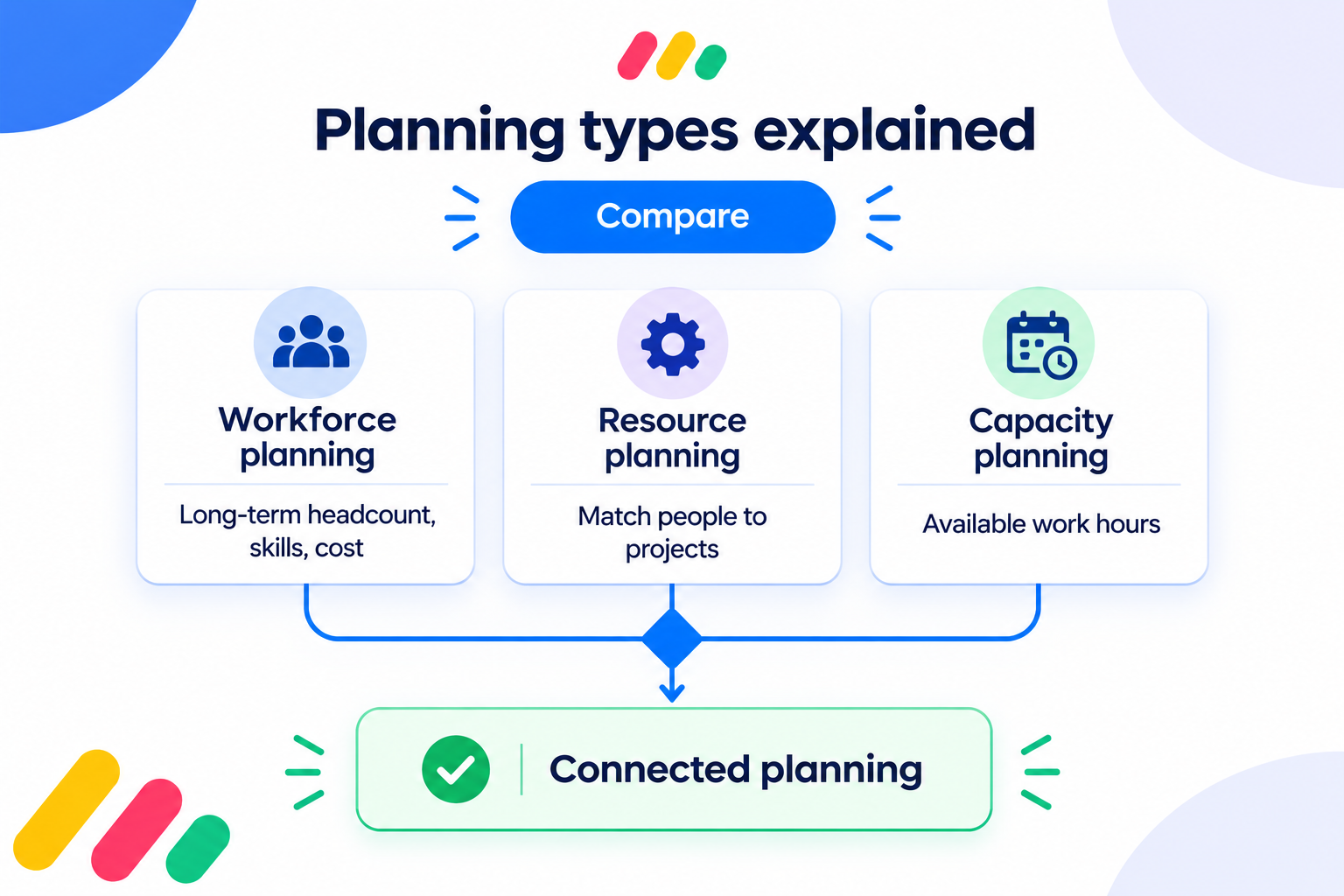
- Workforce planning: the long-term view of headcount, skills, and cost against business strategy.
- Resource planning: matching people and assets to specific projects.
- Capacity planning: measuring how much work your team can absorb in a given period.
The strongest workforce planning tools bring all three views together in one place. For example, workforce planning decides how many designers you need next year, resource planning assigns them to projects, and capacity planning shows whether they can take on one more request this week.
3. Why Workforce Planning Tools Matter in 2027
Planning for people has become harder because work changes faster than annual budgets. New projects appear, skills go out of date, and talent is expensive to replace. Teams that adopt workforce planning tools can see these shifts early and respond with confidence instead of urgency. The sections below explain why proactive planning pays off and how workforce planning software supports each part of it.
From Reactive Hiring to Proactive Talent Planning
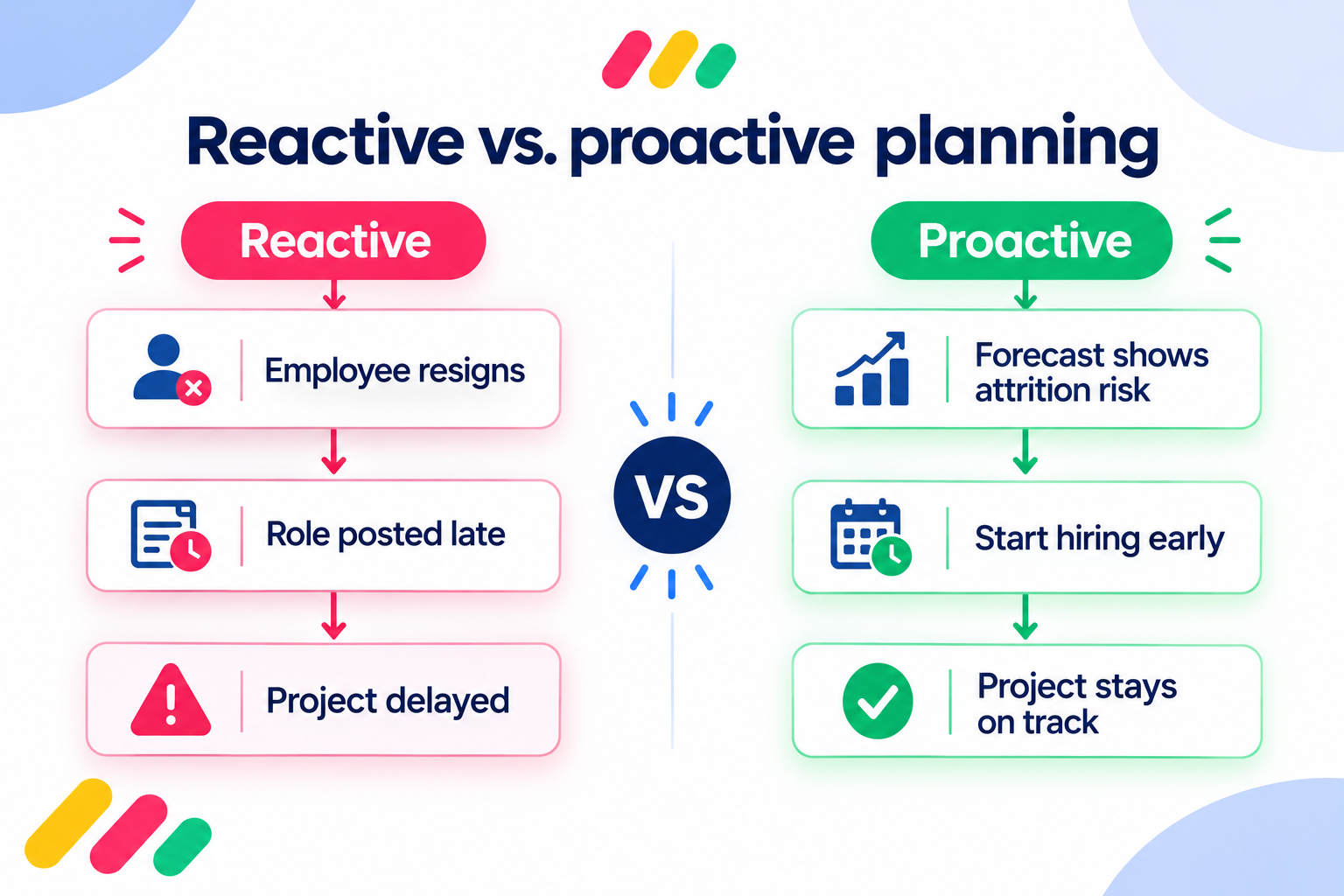
Reactive teams hire after someone resigns or after a project is already late. Proactive teams forecast demand, spot attrition risk, and start recruiting early. Workforce planning software gives you that lead time by putting live data in front of decision-makers. For example, if forecasts from workforce planning software show that three engineers are likely to leave, you can start recruiting before delivery slows.
Closing Skill Gaps Early
Skills change faster than job titles. Workforce planning tools that track skills, not just roles, show where to train, hire, or reassign before a gap delays delivery. For example, if three upcoming projects need data analysts, you can train current staff now instead of searching in a hurry.
Aligning Headcount with Budget and Goals
When HR plans in one file and finance plans in another, the numbers drift apart. Shared workforce planning tools keep every hiring approval tied to budget and strategy. Finance sees the cost of every open role, and HR sees which roles the budget supports.
The Role of AI in Workforce Planning
AI now helps forecast hiring demand, flag capacity risks, and suggest assignments based on skills and availability. People still make the final call, but AI-powered workforce planning software removes much of the manual analysis. On monday.com, this comes through monday AI, monday Sidekick, and AI agents that keep plans current. For example, AI in workforce planning tools can warn you when a team is planned at 120% capacity next month.
4. Key Features to Look for in Workforce Planning Software
A strong platform does more than store headcount numbers. It turns people data into clear decisions about hiring, training, and budget. These are the capabilities that separate effective workforce planning tools from glorified spreadsheets. Use this list as a checklist when you review workforce planning software vendors. Not every feature matters equally to every team, so rank them by your own goals.
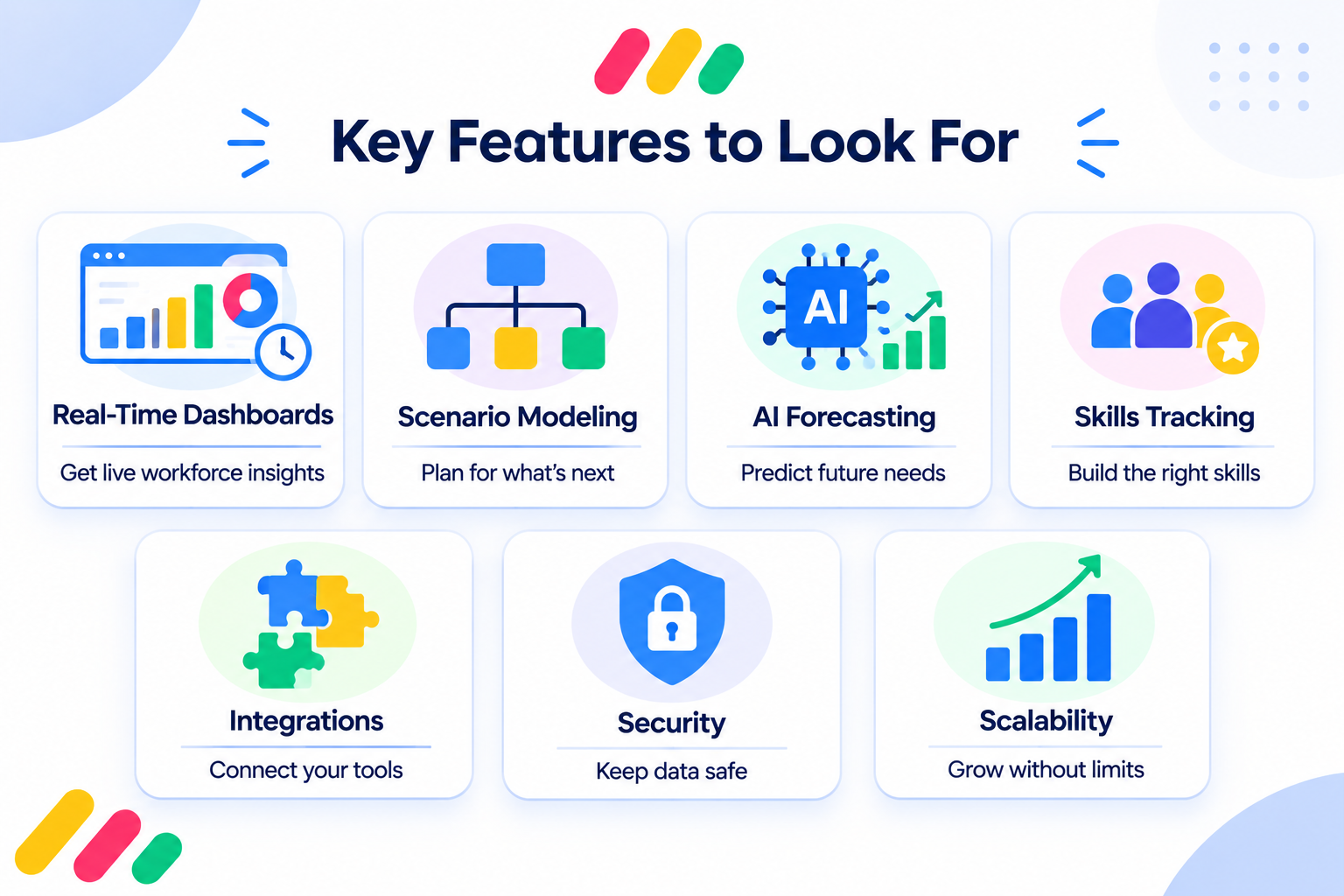
Real-Time Dashboards and Reporting
Live views of headcount, utilization, and skills replace static monthly reports, so leaders see problems while there is still time to act. Customizable dashboards also give HR, finance, and operations one shared view of the same numbers.
Scenario Modeling
Test “what-if” cases such as a product launch, a hiring freeze, or a merger. This is the feature that separates basic tracking from strategic workforce planning software. For example, workforce planning software lets you compare the cost of hiring five people now versus using contractors for six months.
AI-Powered Forecasting
Predictive models highlight future hiring needs, attrition risk, and skill shortages, giving your intuition real data to stand on. Planners can spot trends early and back every hiring request with evidence.
Skills and Capacity Tracking
Know who can do what, and how much of their time is already committed. This prevents overloading top performers and helps you reassign work before deadlines slip. Strong workforce planning tools make training needs visible across teams.
Integrations with HRIS, ERP, ATS, and Payroll
Connected systems remove manual re-entry and create one source of truth. Planners spend less time copying data between systems and more time analyzing it.
Security, Permissions, and Compliance
Role-based access protects sensitive compensation and employee data. Audit trails and encryption add another layer of control for regulated industries.
Scalability and Ease of Use
The platform should work for 50 people today and 5,000 tomorrow, without needing a specialist for every change. Look for flexible structures that adapt as you add teams, regions, and roles.
5. Workforce Planning Tools at a Glance
The table below gives you a side-by-side view of all 15 workforce planning tools. It shows what each platform does best, how pricing starts, and which company size it suits. Use it to build a shortlist, then read the detailed reviews that follow. Because most vendors quote prices on request, treat the starting prices as a guide and confirm them directly. Use the Best For column to match each of the 15 workforce planning tools to your main need.
| Tool | Best For | Starting Price | Company Size |
| monday.com | Flexible, visual planning | Free plan; paid from about $9/seat/month | SMB to Enterprise |
| Smartsheet | Project-based staffing | From $12/member/month | Mid-market to Enterprise |
| Workday Adaptive Planning | Finance-led enterprise planning | Custom | Enterprise |
| Anaplan | Connected enterprise modeling | Custom | Enterprise |
| Planful | Headcount cost planning | Custom | Mid-market to Enterprise |
| Vena | Excel-based workforce costing | Custom | Mid-market to Enterprise |
| Orgvue | Org design and restructuring | Custom | Enterprise |
| Visier | Predictive people analytics | Custom | Mid-market to |
| Agentnoon | Large-scale scenario planning | From about $4/employee/month (SMB) | SMB to Enterprise |
| Lightcast | Labor market and skills data | Custom | Mid-market to Enterprise |
| Personio | HR plus planning for European SMBs | Custom | SMB to Mid-market |
| ADP Workforce Now | Benchmarking and HCM | Custom | Mid-market |
| Paylocity | Headcount planning with recruiting | Custom | Mid-market |
| Aeqium | Compensation planning | Custom | Growing enterprises |
| Planday | Shift-based scheduling | From $2.99/user/month | SMB to Mid-market |
6. 15 Best Workforce Planning Software Options in 2027
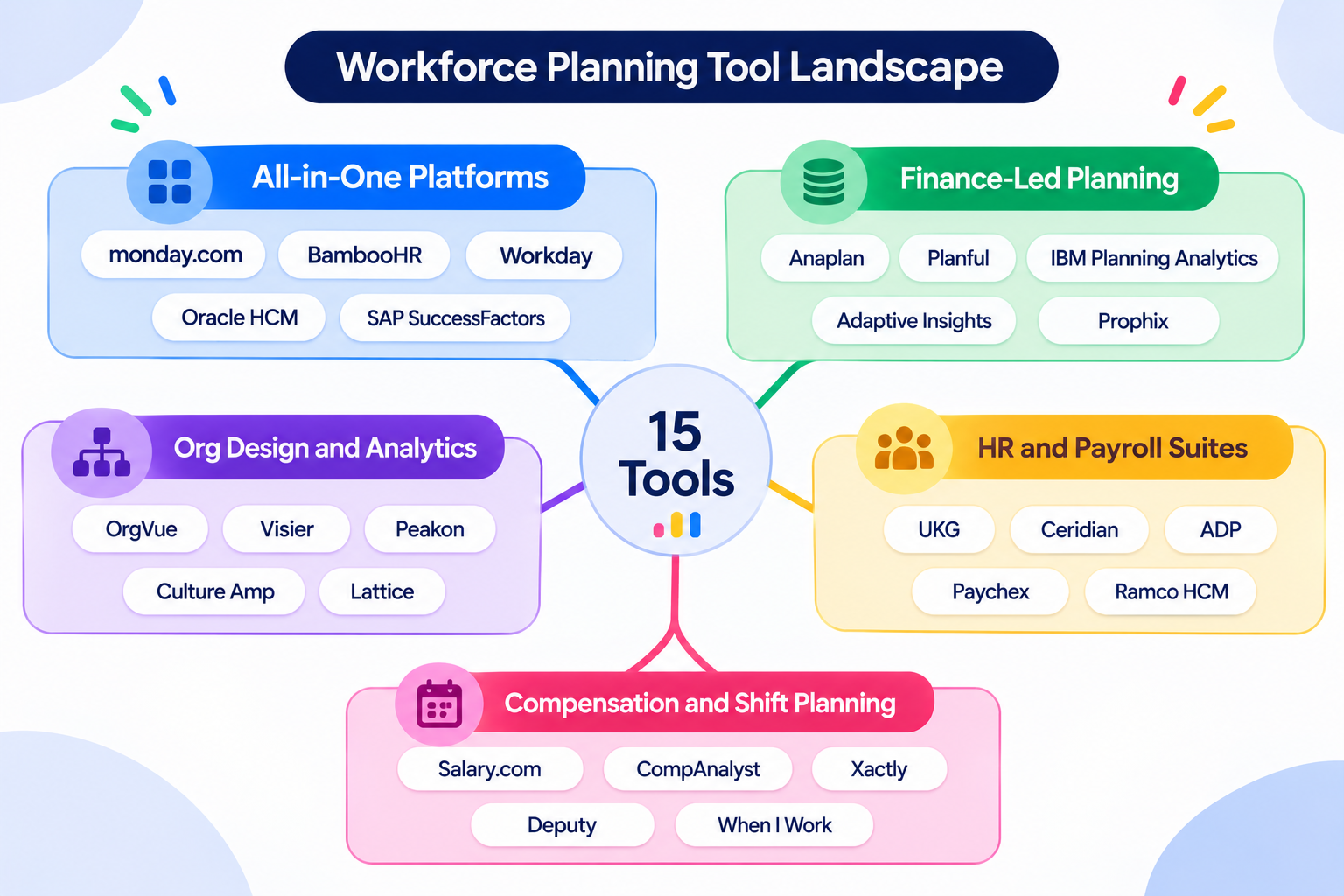
We reviewed each platform on features, ease of use, integrations, pricing transparency, and scalability. To make scanning easier, these workforce planning tools are grouped by use case. Pricing changes often, so confirm current rates with each vendor. Each review of these workforce planning tools follows the same format: best for, overview, key features, pricing, pros, and cons.
Group A: All-in-One Platforms with Workforce Planning Capabilities
1. monday.com
Best for: Teams that want flexible, visual planning across HR, finance, and delivery.
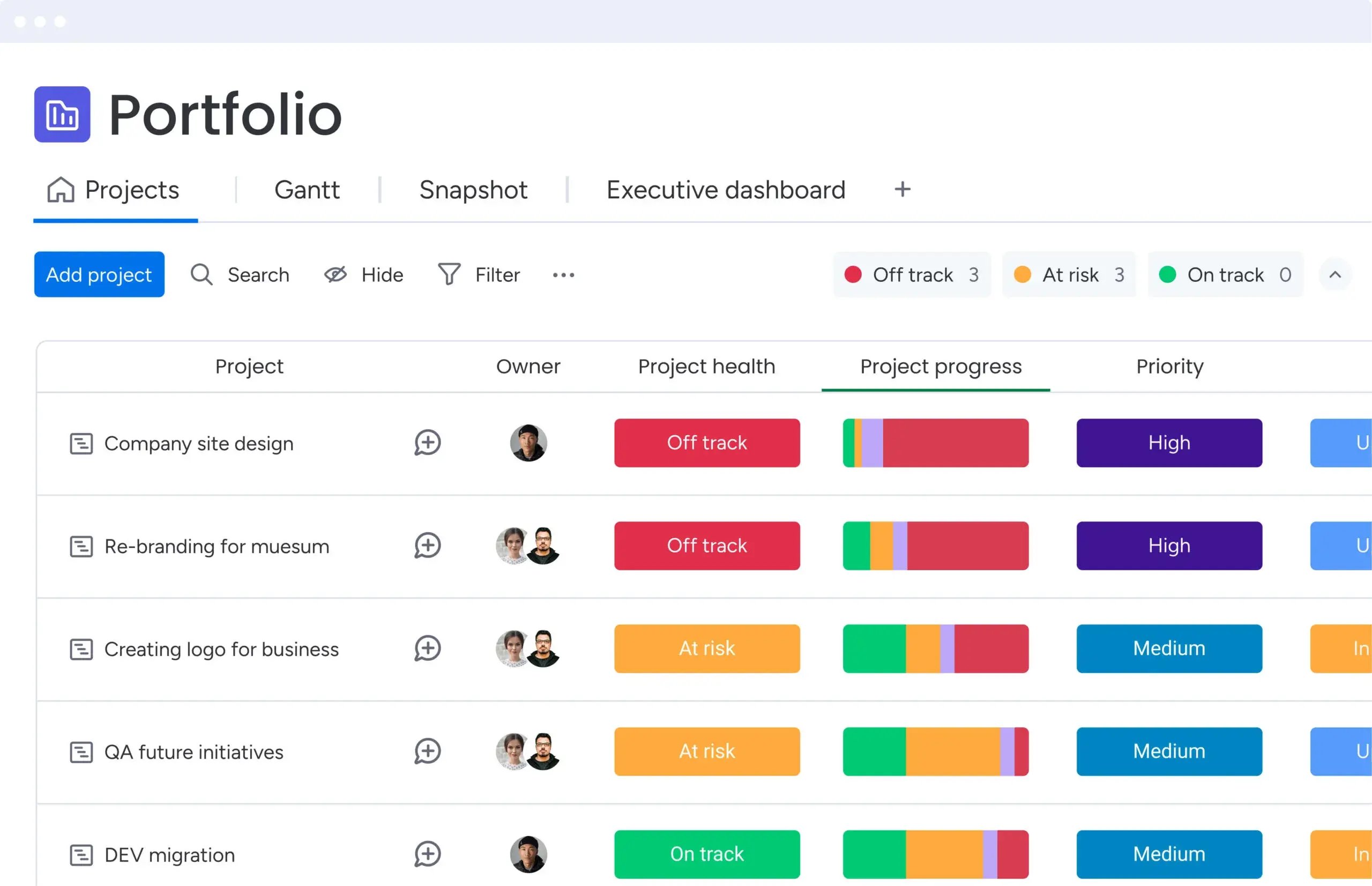
Among workforce planning tools, monday work management is one of the most adaptable. As workforce planning software, it lets you build headcount boards, skills matrices, and capacity views on one no-code platform, then connect them to live project data. For example, an agency can see that two designers are overbooked next month and move work before deadlines slip. The platform also supports multi-step approval workflows, AI skill-gap predictions, dynamic org charts, and interactive skills matrices. Teams that need a portfolio view can also explore monday.com PMO solutions.
Key features
- Customizable boards and templates for skill-gap analysis, hiring pipelines, and headcount plans
- AI-assisted resource allocation and insights on workload and capacity
- Automations for headcount approvals plus 200+ integrations with HRIS tools such as Workday and BambooHR, ATS, and finance systems
Pricing: Free ($0, up to two seats); Basic at $9, Standard at $12, and Pro at $19 per seat per month billed annually; Enterprise on request. Annual billing saves about 18%.
Pros: Highly flexible; keeps HR planning and project delivery in one place. No-code customization lets HR teams build their own workflows, and visual workload views show capacity at a glance.
Cons: Not a payroll or HRIS replacement; best results need thoughtful setup.
2. Smartsheet
Best for: Project-driven teams that like spreadsheet-style grids.
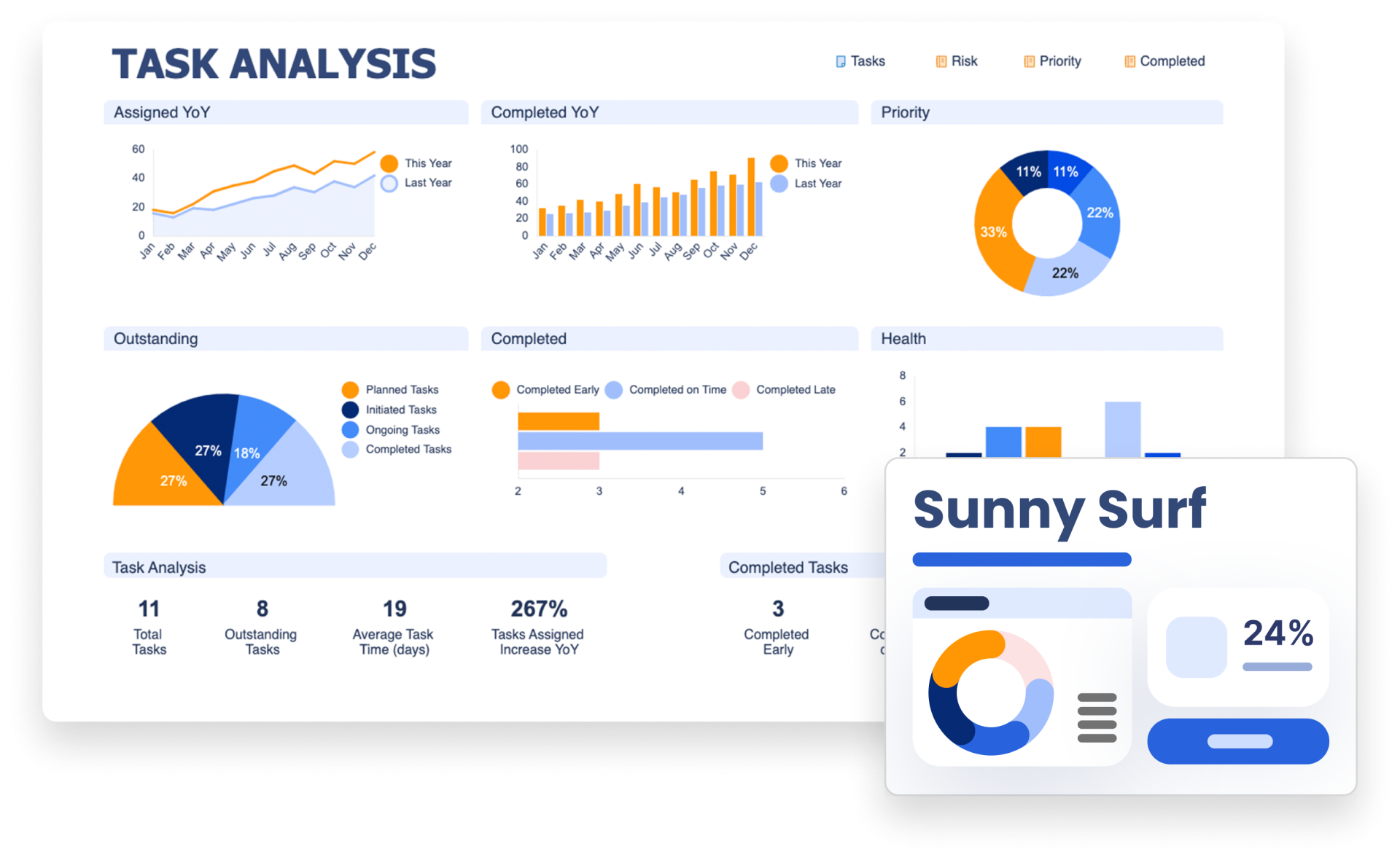
Compared with other workforce planning tools, Smartsheet leans toward project staffing. As workforce planning software, it helps teams track availability, skills, and allocation across initiatives using a familiar grid and Gantt interface. For example, a consulting team can check who is free for a new client project before promising a start date.
 Key features
- Resource Management add-on for availability and utilization
- Templates for gap analysis, succession planning, and forecasting
- Skills-based assignments
Pricing: Pro from $12 per member per month; Business $24; Enterprise custom; resource management is an add-on; a 30-day free trial is available.
Pros: Familiar interface; strong project visibility.
Cons: Advanced capabilities cost extra; can feel busy for new users.
Group B: Finance-Led Workforce Planning Tools for Enterprises
3. Workday Adaptive Planning
Best for: Large enterprises that need HR plans tied directly to financial models.
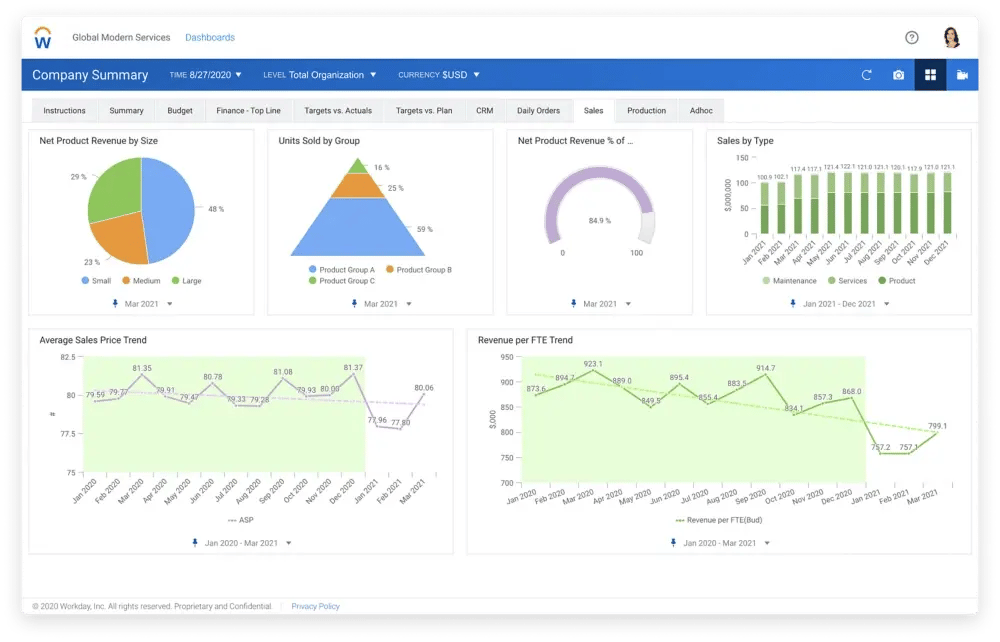
Among workforce planning tools for big organizations, Workday Adaptive Planning stands out for driver-based modeling. As workforce planning software, it links headcount to budgets so finance, HR, and business leaders plan together. For example, a finance team can see how a hiring plan changes next year’s budget before it is approved.
Key features
- Driver-based scenarios for hiring, transfers, and retention
- Direct links between workforce plans and financial models
- Shared dashboards for cross-team collaboration
Pricing: Custom; contact Workday for a quote. A 30-day free trial is available.
Pros: Deep finance integration and powerful scenarios.
Cons: Implementation is complex and often needs consultants; steep learning curve.
4. Anaplan
Best for: Large enterprises running connected planning across HR, finance, and operations.
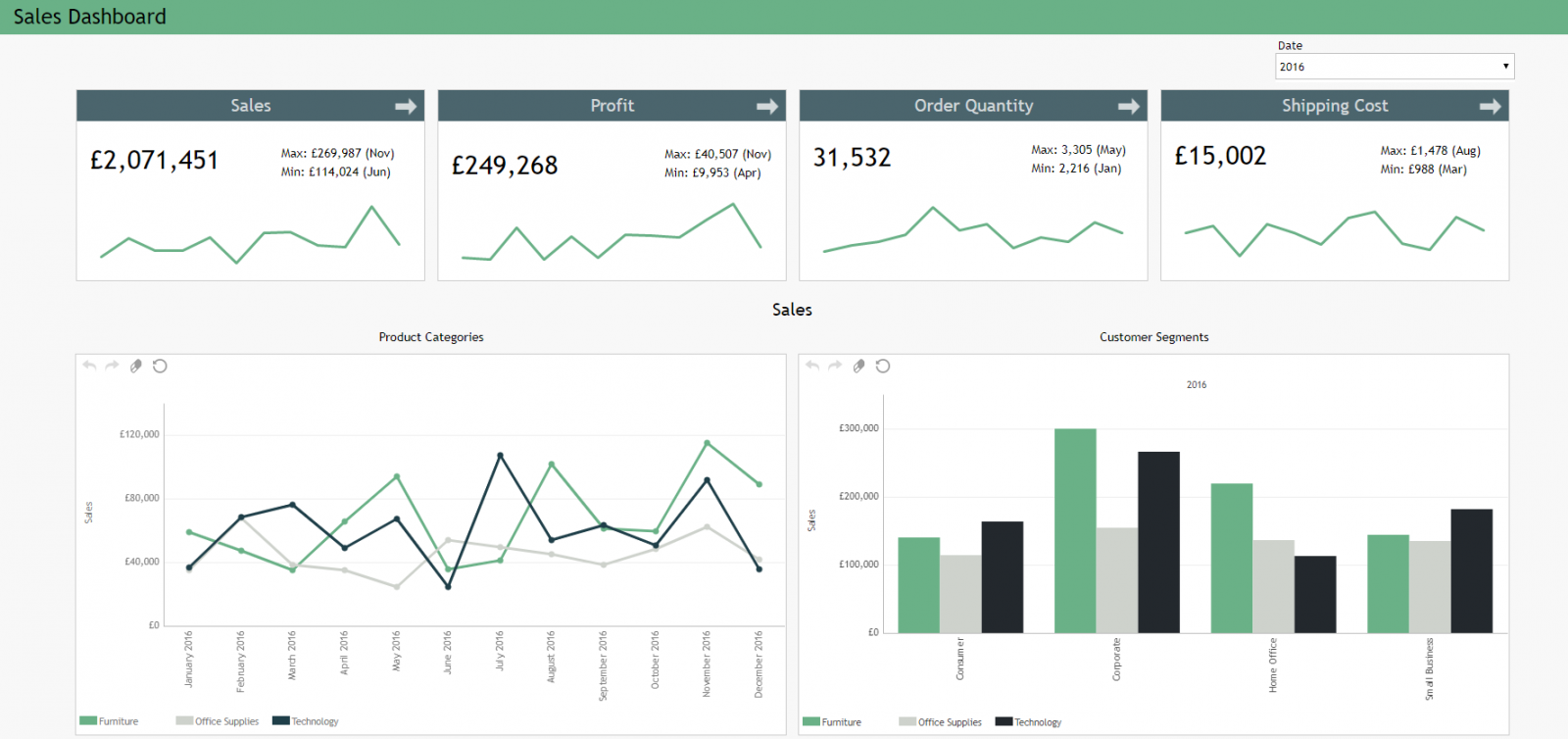
Anaplan is workforce planning software built for connected planning at scale. Among workforce planning tools, it offers one of the most flexible modeling engines, though that power takes effort to harness. For example, a global company can model how opening a new regional office affects headcount, cost, and skills.
Key features
- Multi-year modeling of skills against business initiatives
- “What-if” analysis for mergers, market shifts, and reorganizations
- Live calculation updates across teams
Pricing: Custom; demo or quote required.
Pros: Scale and modeling flexibility.
Cons: Steep learning curve, models are often built from scratch, and the price suits large budgets.
5. Planful
Best for: Finance teams that lead workforce investment decisions.
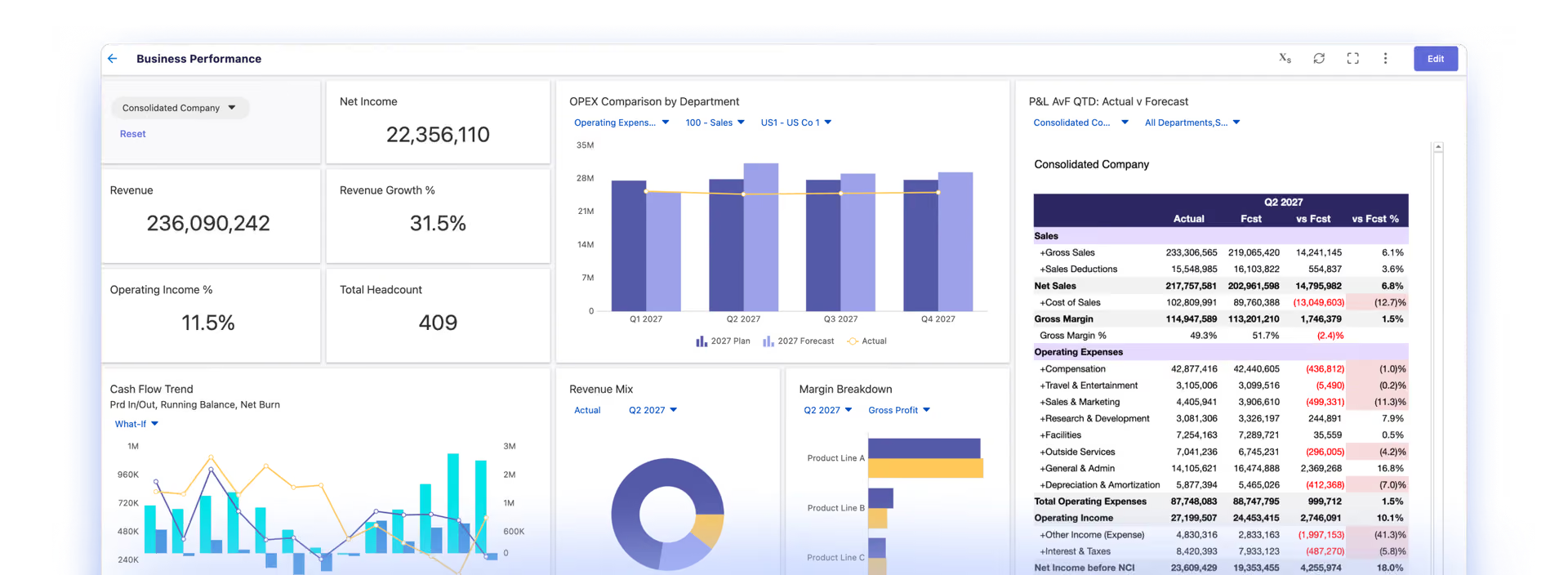
Planful is workforce planning software that gives finance and HR a shared view of headcount cost. Compared with other workforce planning tools, it puts financial rigor first. For example, a CFO can compare hiring plans side by side and see the cost impact of each.
Key features
- Multiple “what-if” scenarios on cost impact
- Workforce module with compensation logic and live headcount tracking
- Integrations with HRIS, ERP, and payroll systems
Pricing: Custom; request a quote.
Pros: Finance-friendly with clear cost transparency.
Cons: Setup can be complex; the Excel add-in works best on Windows.
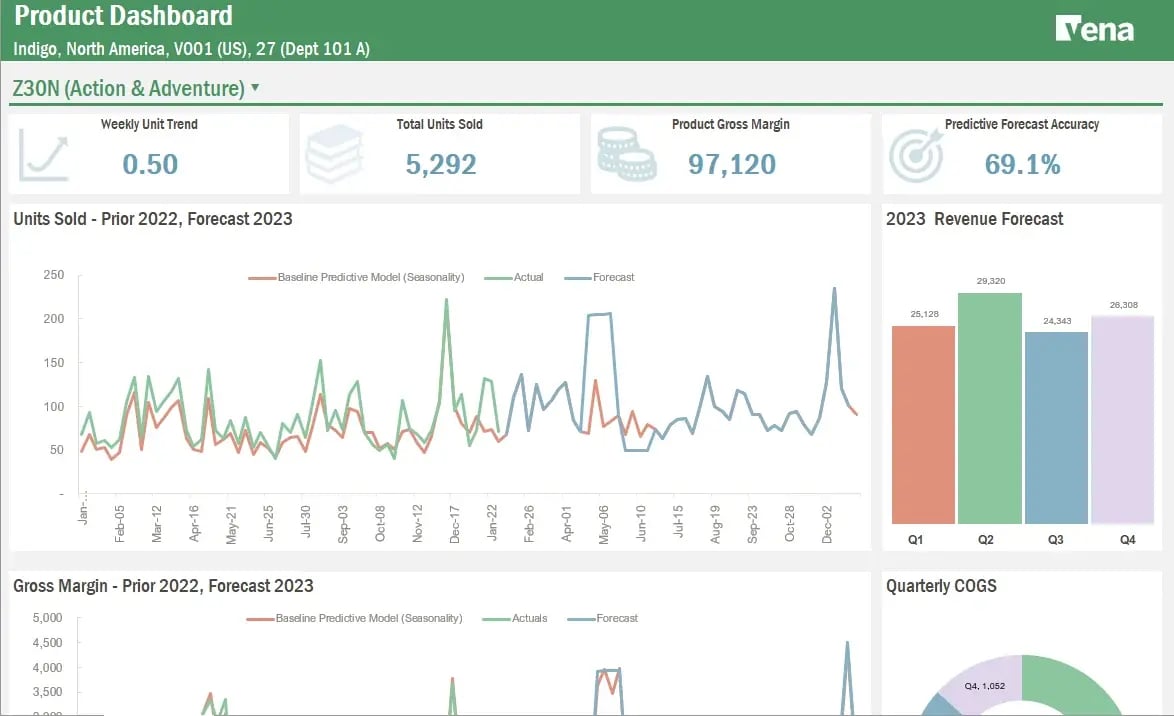
6. Vena
Best for: Finance-led teams that want to keep working in Excel.
Among workforce planning tools, Vena is the most Excel-native. As workforce planning software, it lets teams model salaries, benefits, and taxes by department, role, or employee inside a governed platform. For example, a finance team can keep building headcount budgets in Excel while leadership reviews approved numbers.
Key features
- Employee-level planning with bottom-up and top-down inputs
- Pre-built payroll logic for the US, Canada, and UK
- Scenario analysis for restructuring or payroll changes
Pricing: Custom by plan (Professional or Complete); flexible licensing by user type.
Pros: Familiar Excel experience with granular cost modeling.
Cons: Less appealing if you want to leave spreadsheets entirely; setup may need professional services.
Group C: Org Design and People Analytics Workforce Planning Tools
7. Orgvue
Best for: Organizations going through restructuring or transformation.
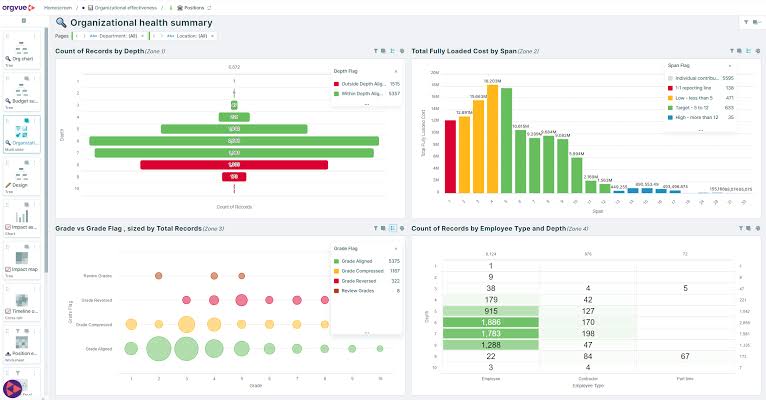
Among workforce planning tools, Orgvue is strongest at turning messy organizational data into visual models. As workforce planning software, it combines org design with scenario planning so leaders can see the cost and headcount impact of a change before committing. For example, a company planning a merger can test different team structures before announcing changes.
Key features
- Data harmonization across HR, finance, and business systems
- Simulation of org changes with real-time cost and headcount impact
- Interactive org charts for stakeholder communication
Pricing: Custom; contact Orgvue.
Pros: Excellent visuals for transformation work.
Cons: Learning curve for advanced features; manual uploads slow things down without integrations.
8. Visier
Best for: Data-driven HR teams that want predictive people analytics.
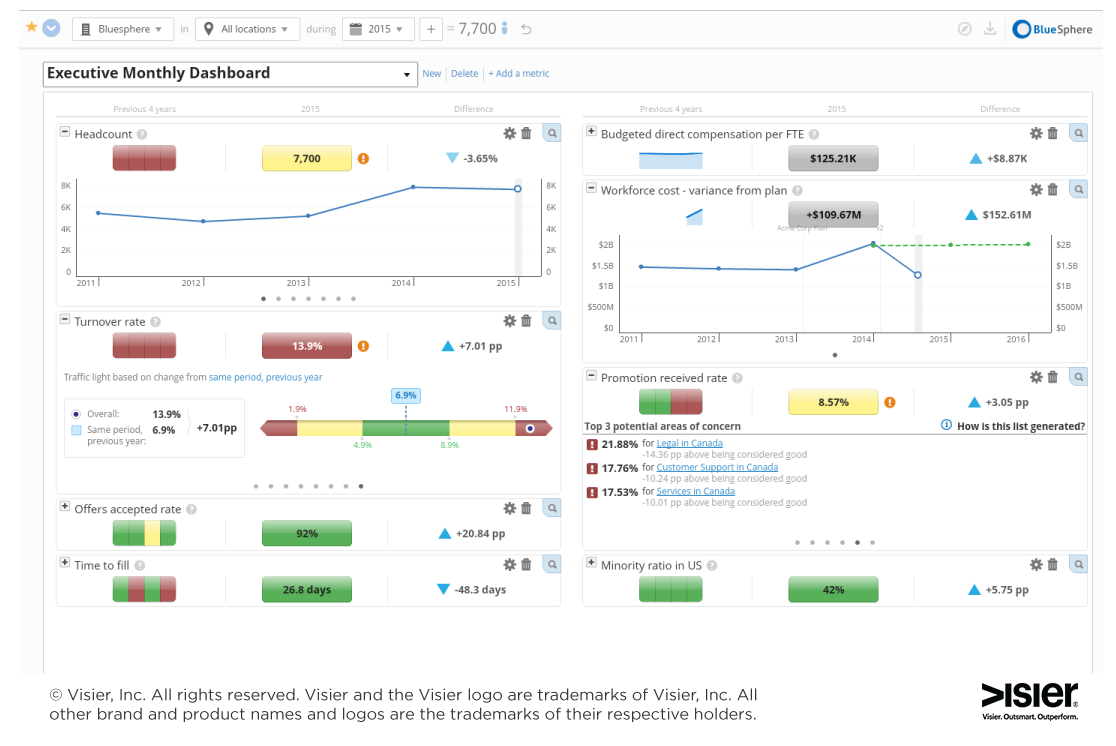
Visier is workforce planning software powered by people analytics. Compared with other workforce planning tools, it focuses on prediction and continuous planning rather than a once-a-year cycle. For example, an HR team can see which departments face the highest attrition risk and act early.
Key features
- Skills intelligence that shows current capabilities and gaps
- Scenario modeling to test workforce strategies
- People metrics connected to business outcomes
Pricing: Custom; contact Visier.
Pros: Strong predictive insight and workforce ROI reporting.
Cons: Needs onboarding and training; some visualizations offer limited customization.
9. Agentnoon
Best for: Large organizations modeling restructuring, mergers, or fast growth.
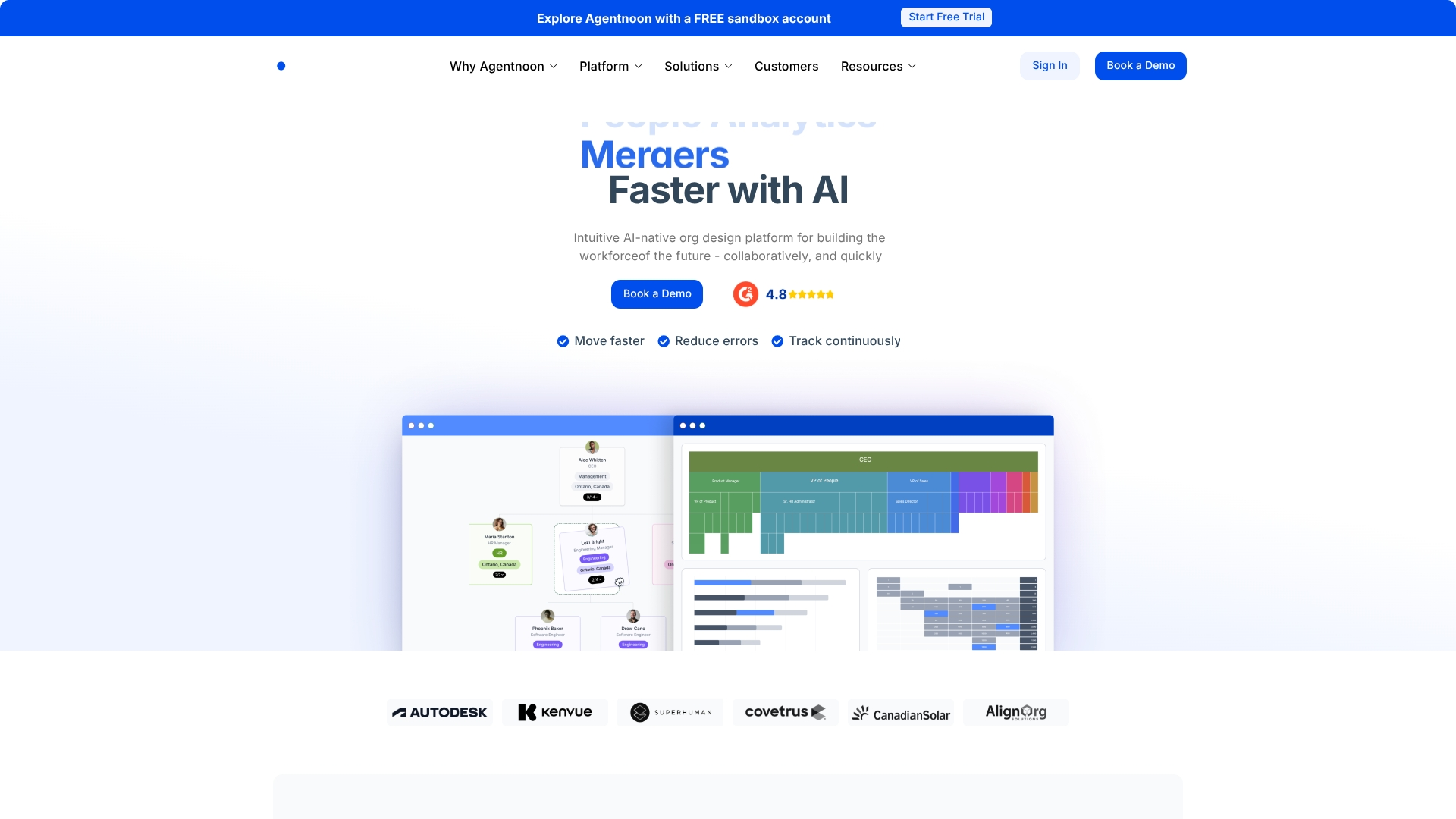
Agentnoon is workforce planning software built for very large org charts. Among workforce planning tools, its drag-and-drop scenario builder makes comparing structural options quick and visual. For example, a company can compare two restructuring options and see the cost of each in minutes.
Key features
- Drag-and-drop scenario planning with cost comparison
- AI-powered insights on performance and skill gaps
- Position-based modeling that plans around roles and skills, not just headcount
Pricing: From about $4 per employee per month for smaller organizations; Enterprise custom; free sandbox available.
Pros: Fast scenario comparison, support for org charts of up to 500,000 employees, and SOC 2 Type II and ISO 27001 certifications.
Cons: Desktop-only interface; some integrations need manual uploads.
10. Lightcast
Best for: Teams that need labor market intelligence and skills benchmarking.
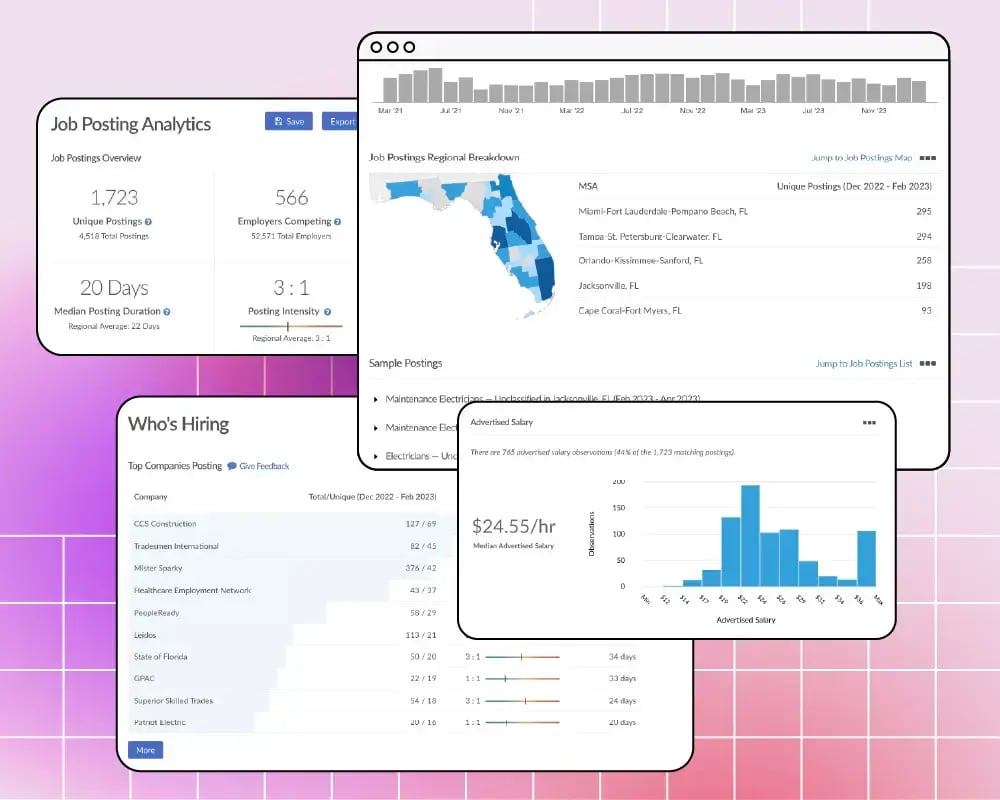
Among workforce planning tools, Lightcast is unique because it brings in external labor market data. As workforce planning software, it helps you see which skills are in demand, where talent is available, and how competitors hire. For example, a recruiter can check whether a skill is scarce in a region before setting a hiring target.
Key features
- Real-time labor market analytics by role and location
- A disruption index showing which jobs are changing fastest
- Career pathway mapping to support internal mobility
Pricing: Custom; subscriptions, consulting projects, and API access available.
Pros: Rich external data for hiring and skills strategy, drawn from more than 18 billion labor market data points.
Cons: Coverage is thinner in some regions outside North America; learning curve.
Group D: HR and Payroll Suites with Workforce Planning Capabilities
11. Personio
Best for: European SMBs and mid-sized companies that want HR and planning in one system.
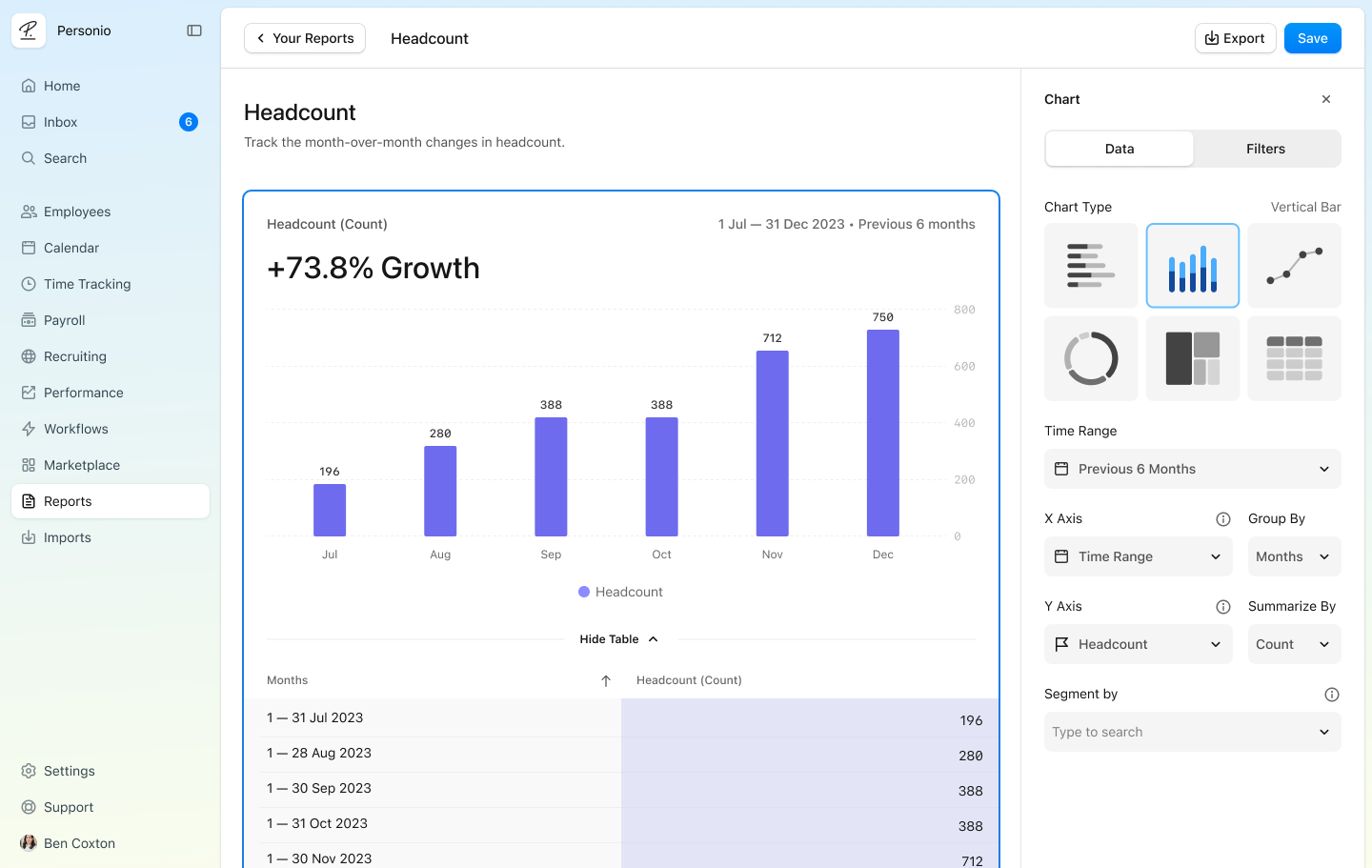
Personio is workforce planning software built into an all-in-one HR platform. Among workforce planning tools for European businesses, it stands out for local compliance and simple collaborative planning cycles. For example, managers can submit headcount requests that HR and leadership review in one place.
Key features
- Continuous headcount monitoring to spot open roles and gaps
- Shared planning cycles for HR, managers, and executives
- Interactive org charts for target structures
Pricing: Custom; planning is included in a higher-tier plan; one-time setup fee applies; annual prepayment earns about a 10% discount.
Pros: One platform for HR and planning; strong European compliance.
Cons: Limited advanced scenario modeling; better for office-based workforces.
12. ADP Workforce Now
Best for: Mid-sized companies that want benchmarking data alongside HR and payroll.
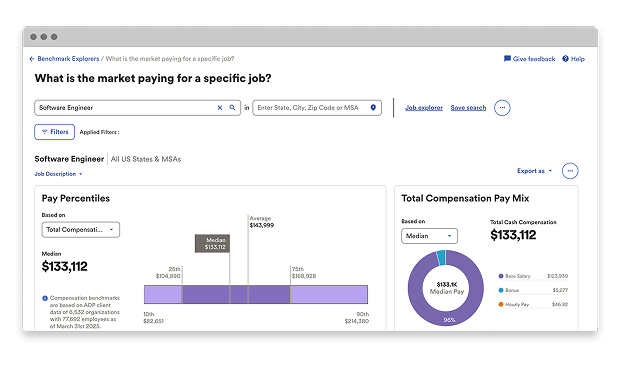
ADP Workforce Now adds workforce planning software capabilities to a full HCM suite. Among workforce planning tools in this category, it is notable for compensation benchmarking drawn from a very large employee dataset. For example, an HR leader can check whether a salary offer is competitive before opening a role.
 Key features
- DataCloud analytics for compensation benchmarking
- AI-driven insights on turnover and payroll anomalies
- Integrated payroll, HR, and benefits data
Pricing: Custom; packages range from Essential Payroll to HR Pro, with add-on modules for analytics and benefits.
Pros: Large benchmark dataset (insights from over 42 million employees) and a unified HCM suite.
Cons: Advanced planning may need add-ons; reporting can be complex to navigate.
13. Paylocity
Best for: Mid-sized businesses uniting finance, HR, and recruiting on headcount.
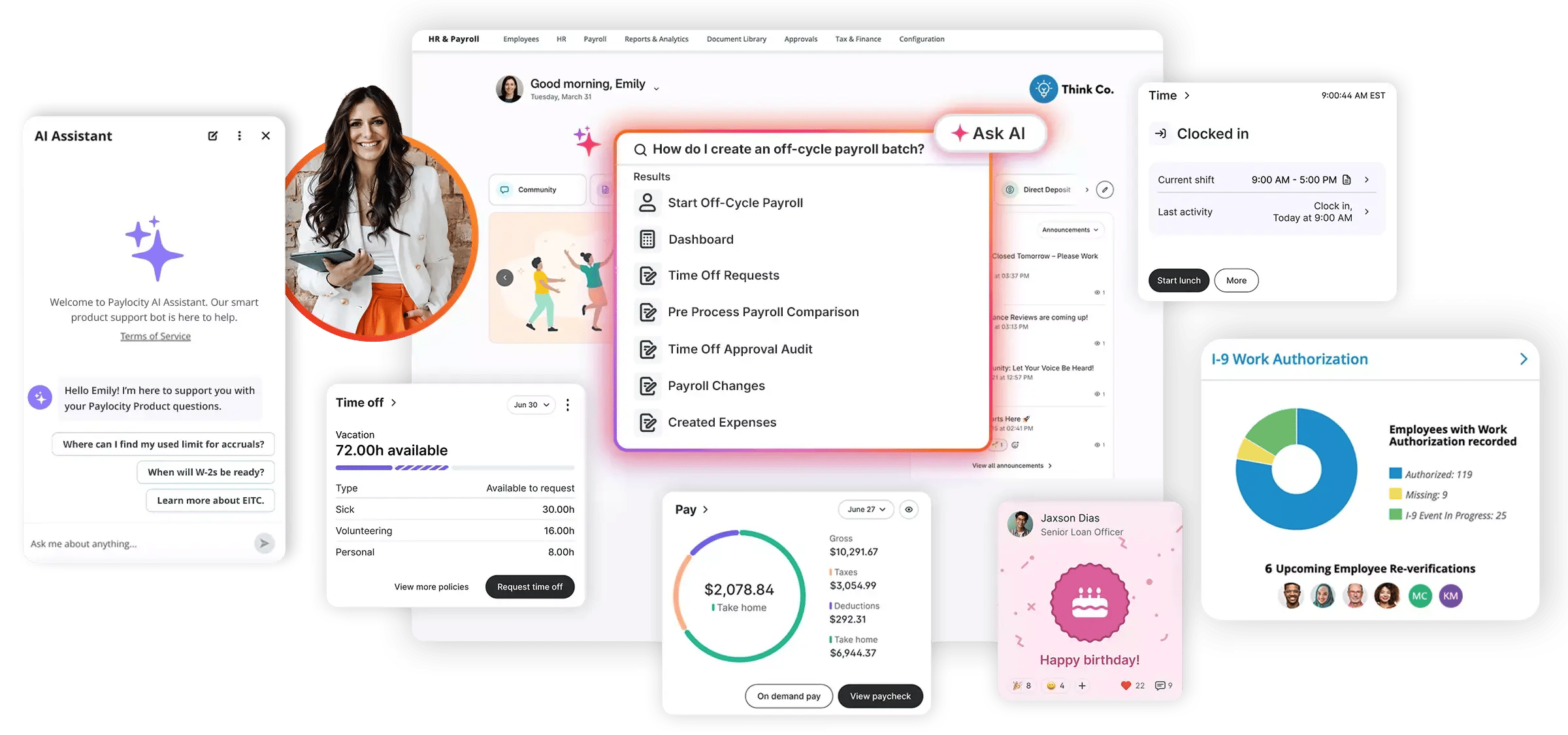
Paylocity adds headcount planning to its HR and payroll suite. Among workforce planning tools for mid-sized teams, it is practical, and as workforce planning software it sends approved headcount straight into recruiting. For example, once finance approves a new role, recruiters can start hiring without re-entering data.
Key features
- Centralized annual headcount plans with approval workflows
- Approved roles flow into the recruiting module
- Live HR and payroll data for accurate forecasts
Pricing: Custom, based on modules and company size.
Pros: Replaces manual spreadsheets; links planning to hiring.
Cons: The headcount module is relatively new; implementation can take effort.
Group E: Specialized Workforce Planning Software for Compensation and Shifts
14. Aeqium
Best for: Growing companies that need flexible compensation planning.
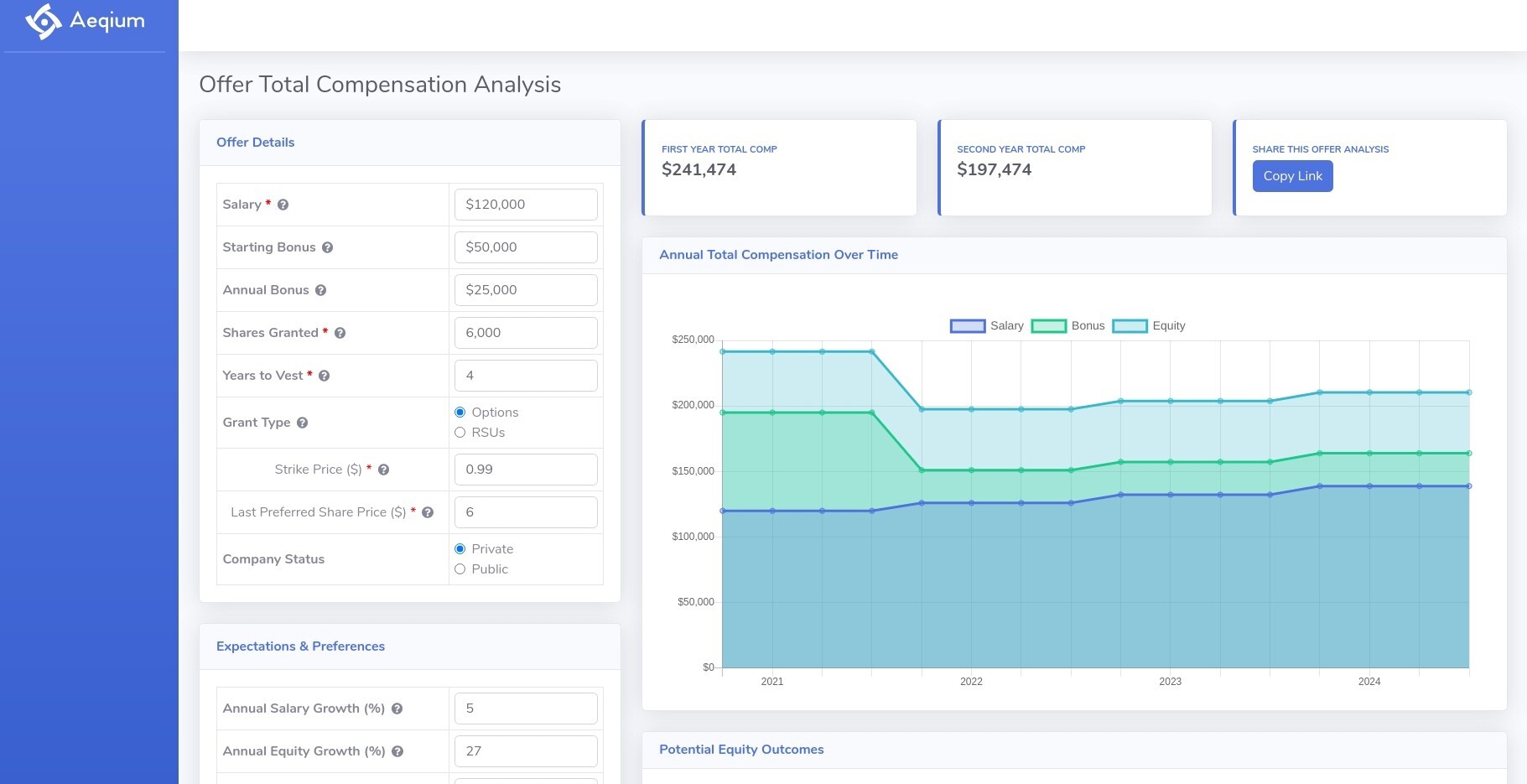
Among workforce planning tools, Aeqium is narrow but deep. As workforce planning software for pay cycles, it automates merit increases, bonuses, and equity reviews with custom formulas and approval chains. For example, HR can run a merit review where each manager sees only their own team’s budget.
Key features
- Customizable compensation cycles
- Scenario modeling of budget impact
- Compensation bands for pay equity
Pricing: Custom; free configuration offered with a demo.
Pros: Highly customizable compensation workflows.
Cons: Limited scope; needs other systems for full strategic planning.
15. Planday
Best for: Shift-based businesses in hospitality, retail, and healthcare.
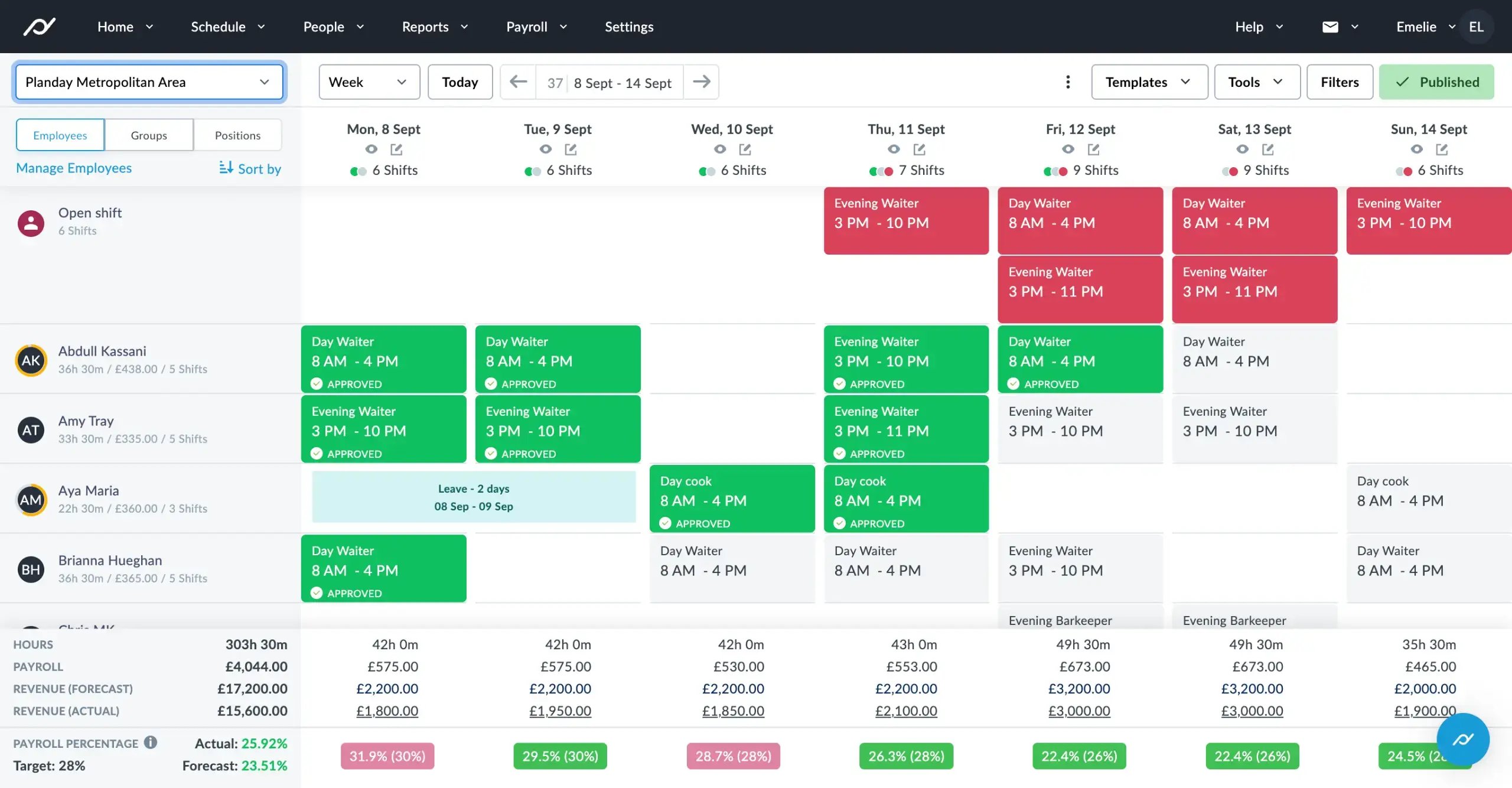
Planday is workforce planning software for teams that live by the schedule. Among workforce planning tools for shift work, it combines scheduling, time tracking, and team messaging in one place. For example, a restaurant manager can fill an open shift quickly while staying within rest-period rules.
Key features
- Collaborative scheduling with shift swaps and availability
- Built-in warnings for rest-period and shift-length rules
- Staffing levels tied to demand forecasts
Pricing: Starter from $2.99 per user per month (minimum five users); Plus at $4.49 per user per month plus a $15 monthly fee (minimum ten users); Pro on request; 30-day free trial with no credit card.
Pros: Affordable and easy for frontline teams.
Cons: Limited project-based tracking; reporting has little customization.
7. How to Choose the Right Workforce Planning Software
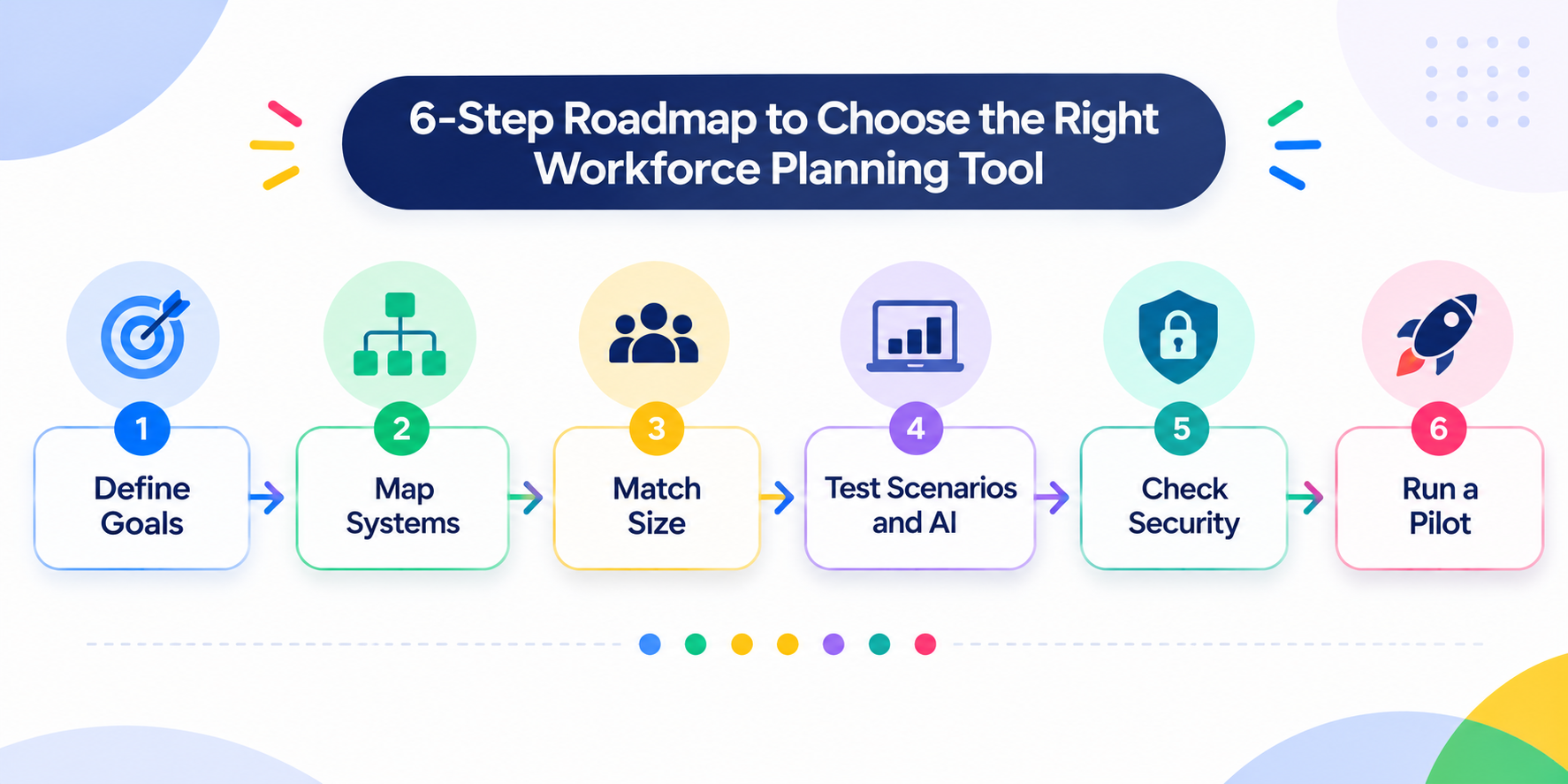
Picking the right platform is less about features and more about fit. A tool that works well for a global bank may overwhelm a 200-person company. Follow these six steps to compare workforce planning software options fairly and avoid costly rework later. Each step builds on the one before it, so work through them in order.
Step 1: Define Your Planning Goals
Decide what success looks like. Faster hiring, tighter budgets, fewer skill gaps, or clearer capacity? Your goal narrows the field of workforce planning tools quickly. For example, a finance-led team may prioritize budget modeling, while an HR-led team may prioritize skills tracking.
Step 2: Map Your Existing Systems
List your HRIS, ERP, ATS, and payroll tools. The best workforce planning software connects to them instead of creating another silo. Note which systems hold the most reliable data, because that will become your starting point.
Step 3: Match the Tool to Your Size and Industry
Not every team needs enterprise workforce planning tools. A 200-person company and a global bank have very different requirements. Smaller teams often want workforce planning tools with quick setup and low cost, while large enterprises need deep modeling and governance.
Step 4: Check Scenario Modeling and AI Depth
Ask vendors to run a real “what-if” case live. Confirm that AI suggestions in your workforce planning tools can be reviewed and overridden by your planners. Also ask how results are shared with leadership.
Step 5: Review Security and Compliance
Look for role-based permissions, encryption, and recognized certifications such as SOC 2 and ISO 27001. Ask how the vendor handles data encryption, admin controls, and audit logs. Key capabilities to look for in workforce planning software include role-based permissions, SOC 2 Type II and ISO 27001 compliance, encryption in transit and at rest, and granular admin controls.
Step 6: Run a Pilot Before Full Rollout
Test two or three workforce planning tools with one department before you commit company-wide. Measure adoption, data accuracy, and time saved during the pilot of your workforce planning software. Use those results to confirm your choice or adjust your shortlist.
Common Mistakes to Avoid
- Buying workforce planning tools for features you will not use in the first year
- Skipping data cleanup before migration
- Leaving HR or finance out of the selection process
- Treating the rollout as a one-time project instead of an ongoing practice
8. How monday.com Fits Into Your Workforce Planning Strategy
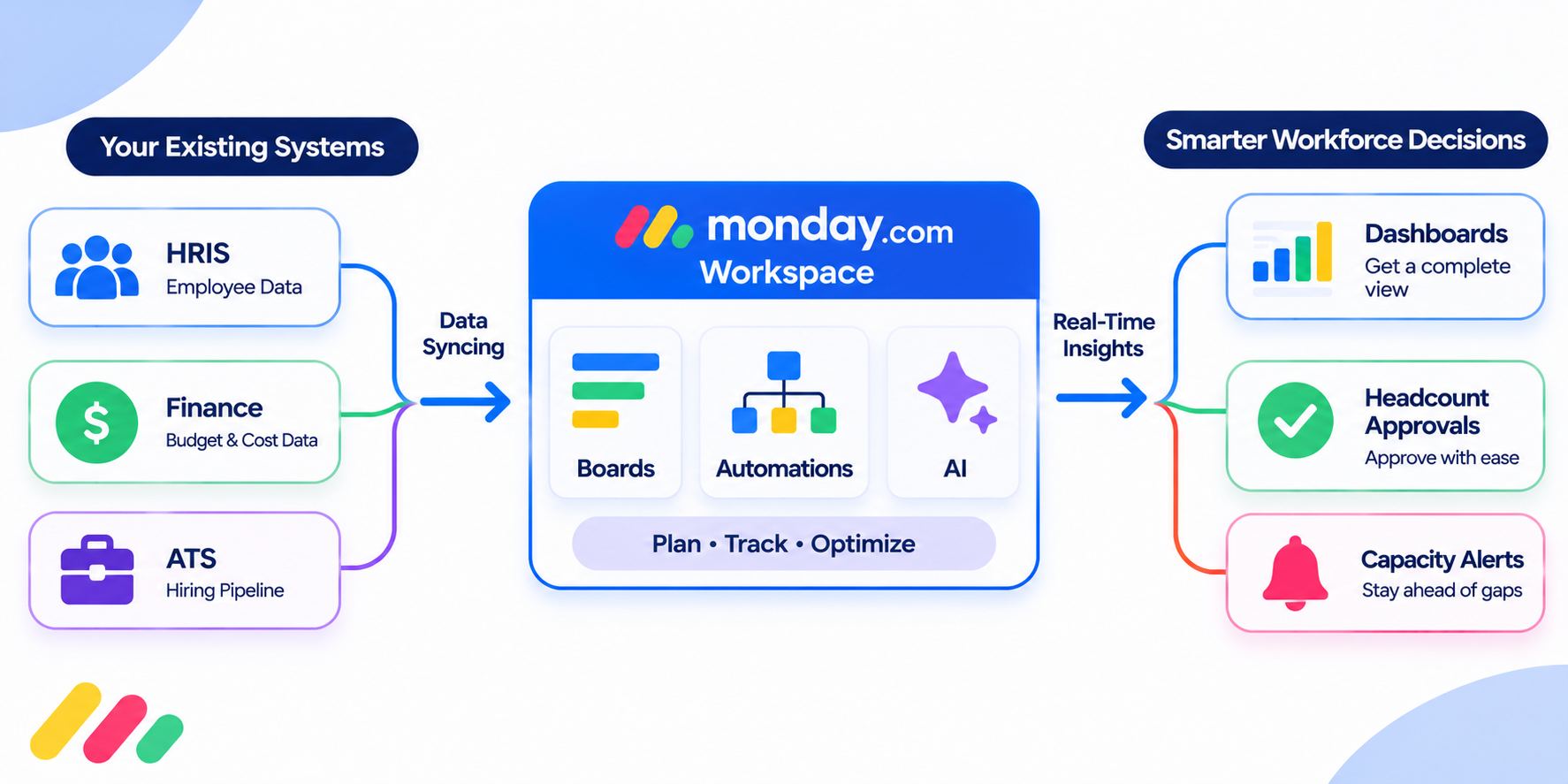
monday.com is not an HRIS, and it does not try to be. It is the planning and coordination layer where HR, finance, and delivery teams work from the same live data. Used as workforce planning software, it gives you flexibility that rigid enterprise systems often lack. Many organizations run it alongside the workforce planning tools in this guide, and Empyra’s monday.com consulting services help design that setup. In practice, HR keeps the system of record, while monday.com becomes the shared workspace for planning, approvals, and reporting. This pairing makes workforce planning tools easier to adopt.
Visual Workforce Planning Boards and Templates
Build headcount plans, skills matrices, and hiring pipelines on boards your team can understand and edit. Use monday.com project management boards to connect those plans to delivery. Color-coded views make capacity and gaps easy to spot at a glance. A typical workforce planning software setup in monday.com includes boards for open roles, team capacity, skills, and hiring status. For engineering teams, monday dev adds sprint and capacity views so developer availability is planned alongside delivery.
AI Insights and Agents for Capacity and Skill Gaps
AI helps summarize workload, flag capacity risks, and keep planning data current, so analysts spend time on decisions, not data prep. With monday Vibe, teams can even build custom planning apps using plain language.
Automations for Headcount Approvals and Hiring Workflows
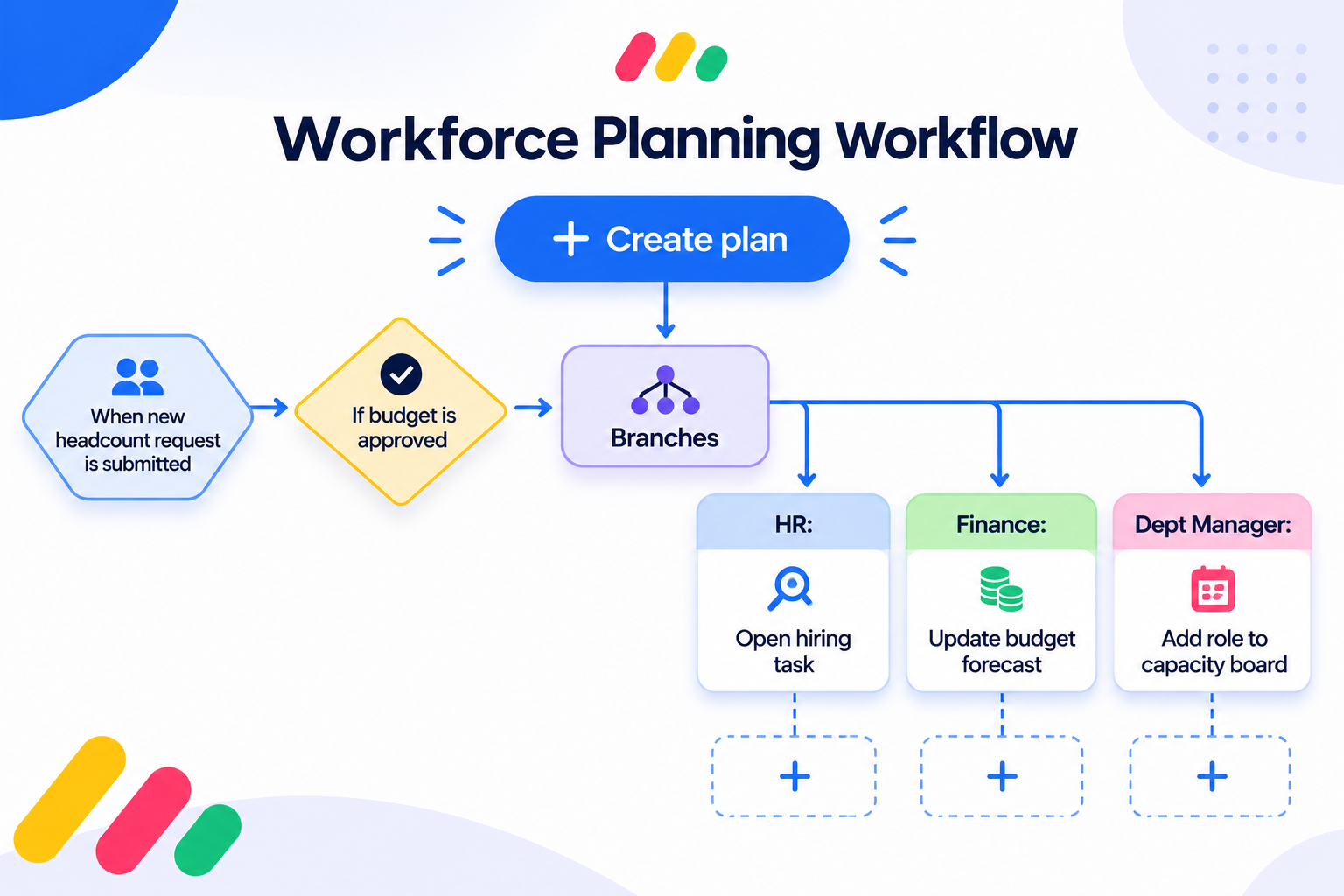
Route headcount requests to the right approvers, trigger alerts when capacity thresholds are crossed, and keep recruiting in sync. Empyra designs these AI-powered workflows around how your approvals actually work. For example, a new headcount request can automatically notify finance, and an approved request can open a hiring task for recruiting.
Connecting monday.com to HRIS, Finance, and ATS Tools
With 200+ integrations, monday.com becomes a single view on top of your existing systems. Our monday.com integration services connect your HRIS, finance, and ATS tools so data flows without manual re-entry. This keeps employee, budget, and hiring data consistent across every report.
Where monday.com May Not Be the Right Fit
If you need payroll, deep labor-law compliance, or heavily audited financial modeling, pair monday.com with a specialist platform from the list above. Many Empyra customers use monday.com as the planning layer on top of their HRIS or finance system. This keeps specialist data where it belongs while giving teams one flexible workspace.
9. Why Choose Empyra as Your monday.com Platinum Solution Partner
Empyra is a monday.com Platinum Solution Partner and Advanced Delivery Partner with 30+ years of consulting experience and 1,000+ customers worldwide. We design, build, and support monday.com workspaces that turn workforce planning software into a daily habit instead of a shelf project. One team owns the outcome from the first workshop through go-live and training. Because we also build custom apps and AI workflows, your planning boards can grow as your needs change. That is why growing teams and enterprises trust us with their most important planning processes.
- Platinum-level expertise: monday.com implementation, integrations, migration, and PMO solutions delivered by certified consultants.
- AI enablement: setup of monday AI, Sidekick, and AI agents, with a clear roadmap for adoption.
- Security-first delivery: scalable, compliance-minded builds with training and ongoing support.
- Proven results: see how we helped Sally Beauty move from email chaos to centralized control on monday.com.
10. Workforce Planning Software Implementation Checklist
A good rollout matters as much as the tool you select. Use this checklist to move from spreadsheets to a live planning workspace without losing data or momentum. If you are moving from legacy files or another platform, Empyra’s monday.com migration service protects your history and workflows. Following these steps keeps your adoption of workforce planning software on track. Treat each item as a short milestone and assign an owner and a due date.
- Clean and standardize your headcount and skills data
- Assign clear owners across HR and finance
- Build your first board or model for one department
- Connect your HRIS and finance systems
- Set up dashboards and automations
- Train planners and managers
- Review results monthly and expand to other teams
Conclusion
The right workforce planning software turns hiring from a scramble into a strategy. Enterprises with finance-led needs will lean toward Workday Adaptive Planning, Anaplan, or Planful. HR-led teams may prefer Visier or Orgvue, and shift-based businesses will find Planday practical. If you want flexibility, speed, and one workspace for planning and delivery, monday.com is a strong choice. Whatever you choose, compare a few workforce planning tools, pilot with one team, and expand from there. To decide quickly among these workforce planning tools, choose monday.com for flexibility, Workday Adaptive Planning or Anaplan for finance-led enterprise modeling, Visier for people analytics, and Planday for shift-based teams.