.svg)

Most small business owners don't realize they're losing deals until a customer calls asking why nobody followed up. That single missed email, or the lead that fell through a spreadsheet crack, is usually the moment someone starts searching for a CRM for small business. If you're juggling contacts across sticky notes, inboxes, and half-updated spreadsheets, you already know the cost — forgotten follow-ups, duplicate outreach, and zero visibility into what's actually happening in your pipeline. The good news is that today's CRM software is built specifically for lean teams, not just enterprise sales floors with dedicated admins. Most of these tools now take less than an hour to set up, which means you don't need a dedicated IT resource just to get started. And because pricing has come down significantly over the past few years, even a solo founder can justify the cost against the deals it saves from slipping through the cracks. In this blog, we'll cover what a CRM for small business actually is, the features that matter most, a comparison of the top 10 platforms, how to choose and implement one, and why monday CRM — with the right implementation partner — might be the best fit for your growing team. By the end, you'll have a clear picture of the best CRM for small business options on the market and how to pick between them.
1. What Is a CRM for Small Business?
A CRM for small business is customer relationship management software that helps you track every lead, deal, and customer conversation in one organized place — without the complexity built for 500-person sales teams. Unlike enterprise CRMs, a small business CRM skips the heavy onboarding, dedicated administrators, and layered permission systems that most lean teams simply don't need. Think of it as the difference between a shared spreadsheet three people quietly stopped updating and a live dashboard your whole team actually opens every morning.
A freelance consultant tracking 20 leads and a 10-person agency managing 200 active deals both fall under this category — what matters is that the software stays simple enough to actually get used daily. Whether you call it a small business CRM or simply a CRM for small business, the goal is the same: less manual tracking, more visibility.
2. Why a CRM for Small Business Is Worth the Investment (Benefits + Stats)
Small business owners often assume CRM software is only worth the investment once they've got hundreds of customers, but that thinking costs real revenue. The truth is that a CRM for small business pays for itself quickly by preventing the exact mistakes that stall growth — missed follow-ups, duplicate outreach, and deals nobody remembers to close.
Here's what a good CRM for small business actually delivers:
- Centralized customer data — every email, call, and note lives in one place instead of scattered across inboxes and notebooks.
- Faster, more consistent follow-ups — automated reminders mean leads don't go cold because someone forgot to reply.
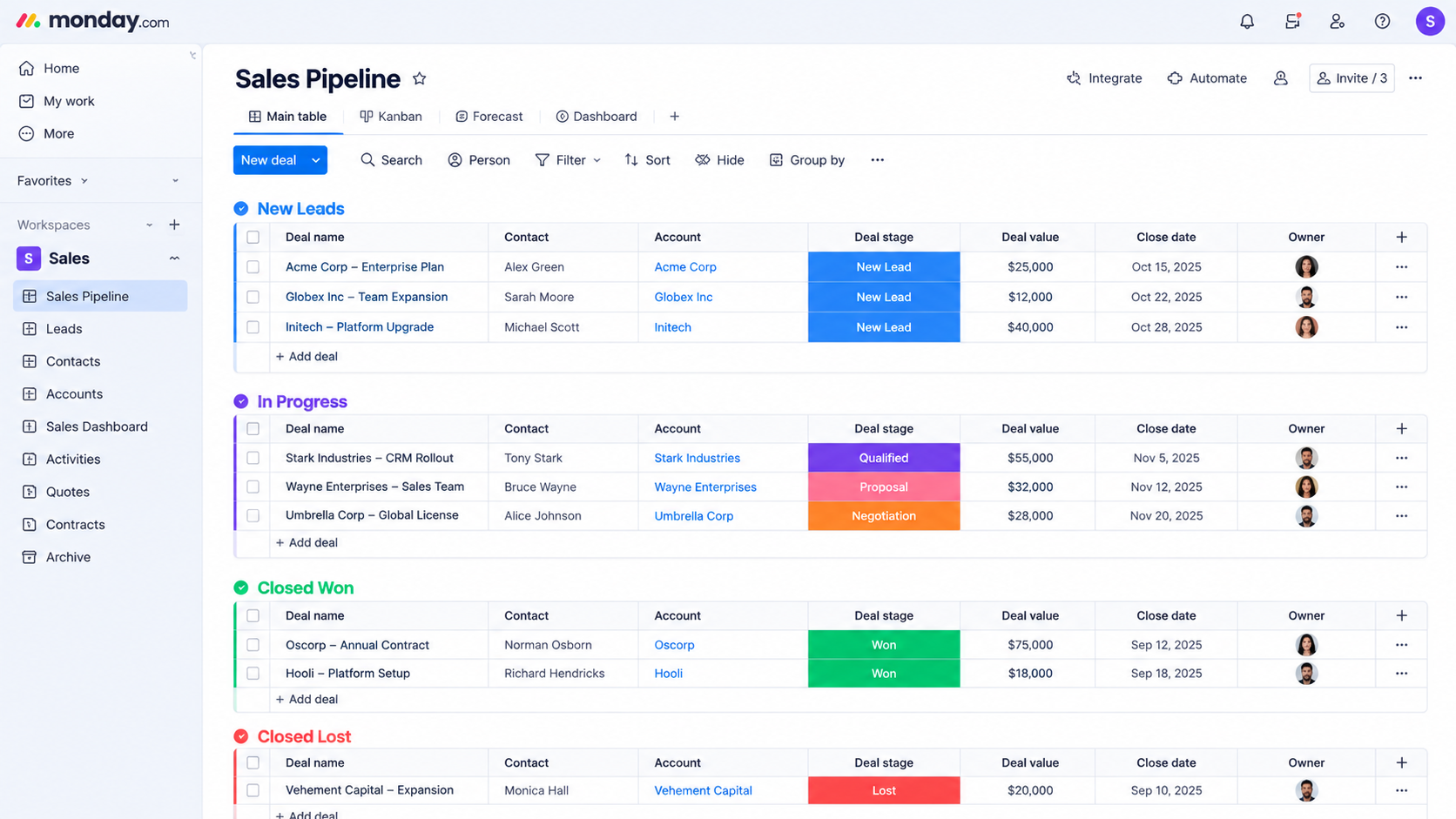
- Real pipeline visibility — you can see exactly how many deals are open, stuck, or about to close without asking your team for an update.
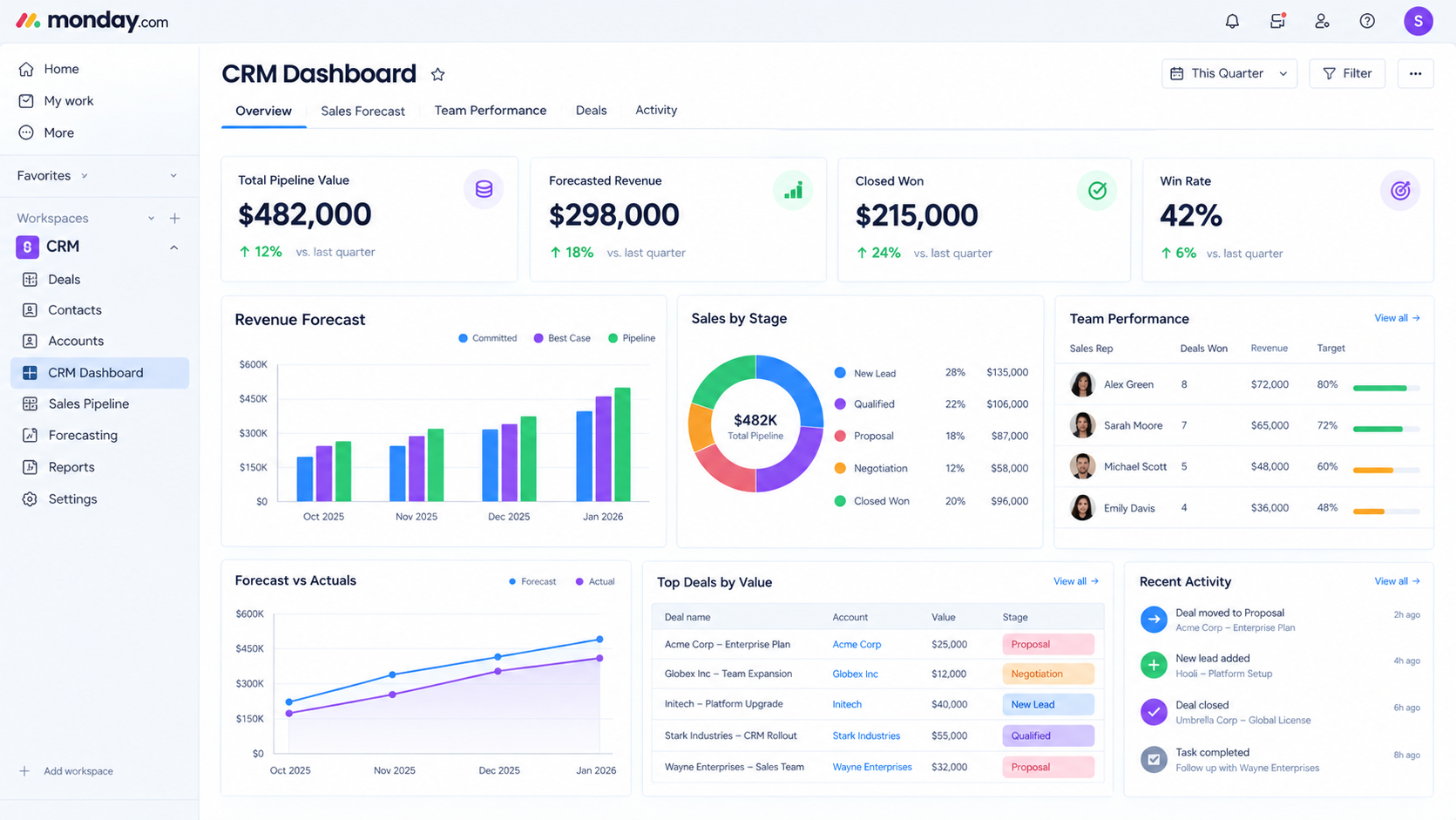
- Better forecasting — accurate revenue projections instead of gut-feeling guesses at the end of the month.
- Lower customer churn — nothing slips through the cracks post-sale, so existing customers feel remembered, not forgotten.
Without a CRM, most small teams lose leads quietly — no dramatic failure, just a slow leak of opportunities that never get followed up on. That leak is usually invisible until you start measuring it, which is exactly what a CRM for small business forces you to do.
3. Key Features to Look for in the Best CRM for Small Business
Not every CRM feature matters equally when you're a small team without a dedicated sales ops person. Before comparing specific tools, it helps to know exactly which capabilities separate software your team will actually use from software that gets abandoned within a month. Use this list as your evaluation checklist as you read through the comparisons below of the best CRM for small business platforms.
- Ease of use — if your team needs a training manual to log a call, they won't use it consistently.
- Mobile access — sales conversations happen at client sites and coffee shops, not just at a desk.
- No-code customization — your sales process is unique, so the CRM should adapt to you, not the other way around.
- Built-in automation — repetitive tasks like follow-up reminders and status updates should run themselves.
- Integrations — your CRM needs to talk to the email, calendar, and accounting tools you already use.
- Transparent pricing — no surprise jumps when you add your sixth user.
4. How Much Does a CRM for Small Business Cost in 2026?
Most small businesses should expect to pay somewhere between $0 and $50 per user, per month, depending on the features and scale they need from a CRM for small business. monday CRM pricing breaks down into one of three common models, and understanding them upfront prevents budget surprises down the line. The real cost of a CRM often isn't the subscription — it's what shows up after you've already signed up.
| Pricing Model | How It Works | Watch Out For |
|
Per-user pricing |
Flat rate per team member |
Easiest to predict, but costs rise as you hire |
|
Per-contact pricing |
Based on total contacts stored |
Can spike fast as your customer list grows |
|
Tiered feature pricing |
Features locked behind higher plans |
The one feature you need is often in the pricier tier |
Beyond the subscription itself, budget for a few hidden costs: implementation and data migration fees, training time lost to a clunky interface, and integration costs if your CRM doesn't connect natively to tools you already use. Getting the cost-to-capability ratio right upfront saves you from a painful mid-year upgrade.
5. Top 10 Best CRM for Small Business Picks in 2026
Choosing the best CRM for small business comes down to matching a platform to your team's actual sales process — not picking whichever has the longest feature list. Below is a side-by-side comparison of ten platforms worth considering, followed by a closer look at each one.
| Platform | Best For | Free Plan? | Standout Feature | Starting Price |
|
monday CRM |
Visual,customizable pipelines |
No |
AI-powered lead management |
$12/user/month |
|
Pipedrive |
Simplicity and ease of use |
No |
Drag-and-drop pipeline |
$14/user/month |
|
Salesforce |
Advanced customization |
No |
1,000+ app integrations |
$25/user/month |
|
Zoho CRM |
Budget-conscious scaling teams |
Yes (3 users) |
Built-in AI assistant |
$14/user/month |
|
Freshsales |
Data-driven decision making |
Yes (3 users) |
AI lead scoring |
$9/user/month |
|
HubSpot CRM |
All-in-one scalability |
Yes (5 users) |
Free CRM foundation |
$15/user/month |
|
Capsule CRM |
Relationship-focused teams |
Yes (2 users) |
Visual Kanban pipeline |
$18/user/month |
|
Zendesk Sell |
Sales automation |
No |
Built-in dialer |
$19/user/month |
|
Keap |
Marketing + sales automation |
No |
Automated lead capture |
$159/2 users/month |
|
Less Annoying CRM |
Simplicity, no feature bloat |
No |
Single-tier pricing |
$15/user/month |
5.1 monday CRM — Best Overall
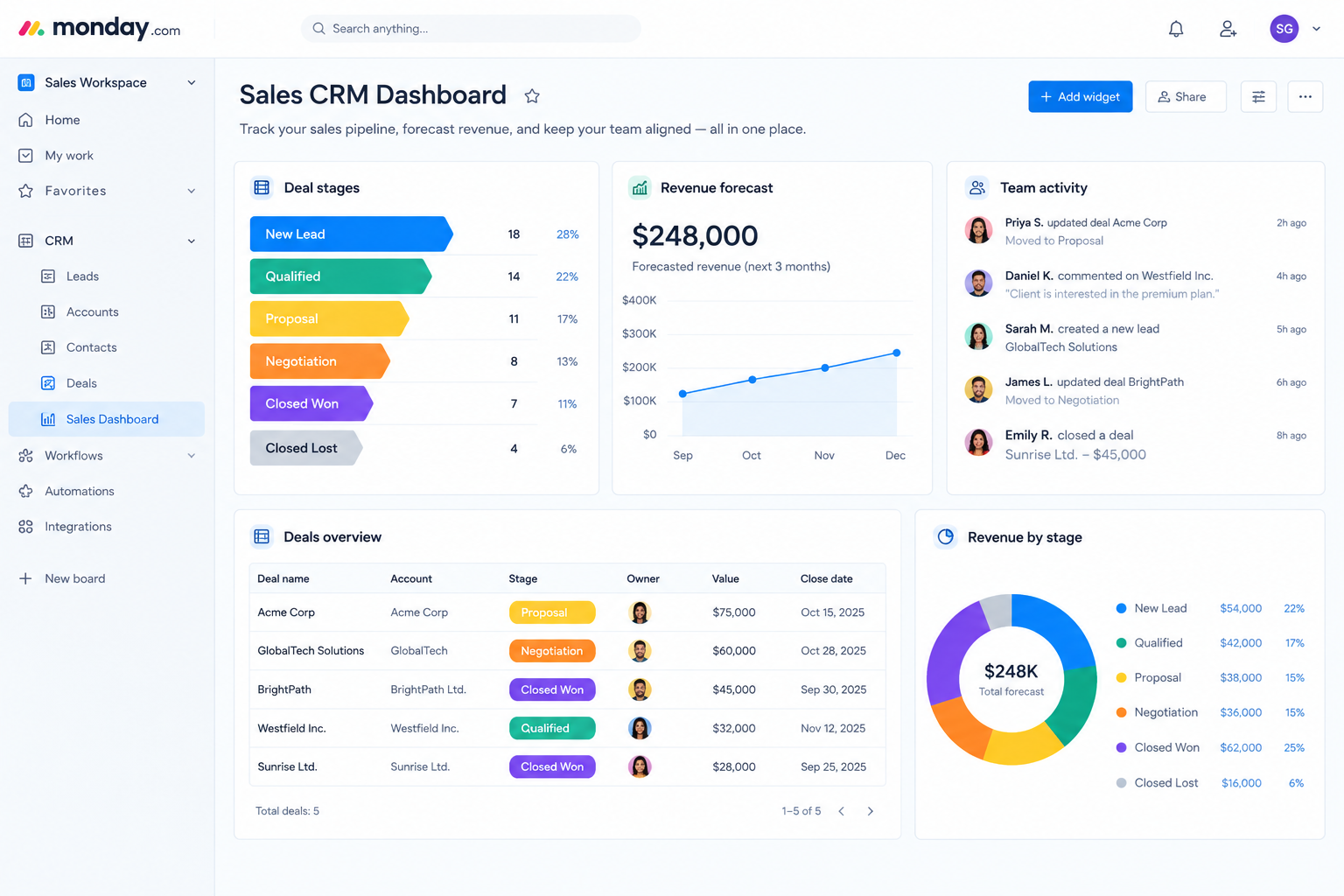
monday CRM combines a highly visual, fully customizable interface with genuine ease of use, which is why it consistently ranks as the best CRM for small business teams that want flexibility without a steep learning curve. It offers AI-powered lead management, customizable dashboards, and no-code automation that adapts to how you already sell. The only trade-off is a 3-user minimum on paid plans, so true solo users may find HubSpot's free tier more accessible starting out.
5.2 Pipedrive — Best for Simplicity
Pipedrive is built around a clean, drag-and-drop pipeline that small sales teams pick up almost instantly. It includes a customizable chatbot for lead generation and automatic call logging. Where it falls short is deeper marketing automation, which means growing teams often outgrow it faster than expected.
5.3 Salesforce — Best for Advanced Customization
Salesforce remains the industry standard for customization and integration depth, with over 1,000 available app connections. That power comes at a real cost, though — both in price and in the time it takes a small team to configure it properly.
5.4 Zoho CRM — Best for Scaling on a Budget
Zoho's built-in AI assistant, Zia, helps predict deals and score leads without needing a separate analytics tool. It's a strong pick for growing teams, but the sheer number of features can overwhelm a lean team without dedicated admin support.
5.5 Freshsales — Best for Data-Driven Teams
Freshsales leans heavily on AI-driven insights, using its Freddy AI assistant to analyze historical activity and suggest next steps. Custom chatbots help reduce drop-off, though the free plan's contact limits arrive quickly for active pipelines.
5.6 HubSpot CRM — Best Free Option
HubSpot offers one of the most generous free tiers on the market, with unlimited contacts and core deal tracking at no cost. The catch is that essential features like custom reporting and advanced automation require a jump to a significantly pricier plan.
5.7 Capsule CRM — Best for Relationship-Focused Teams
Capsule keeps things simple with a contact-centric approach and a clean visual Kanban board. It's ideal for service businesses built on repeat relationships, though it lacks the deeper automation power teams eventually need.
5.8 Zendesk Sell — Best for Sales Automation
Zendesk Sell pairs an intuitive interface with a built-in dialer and strong mobile app, making it a solid pick for phone-heavy sales teams. Reporting customization, however, isn't as flexible as some competitors.
5.9 Keap — Best for Marketing + Sales Combined
Keap blends CRM and marketing automation, automating lead capture and appointment booking in one system. It's a strong fit for service businesses, but the pricing structure — billed per two users — can get expensive fast for growing teams.
5.10 Less Annoying CRM — Best for No-Frills Simplicity
True to its name, this CRM strips away complexity with a single pricing tier and no feature-gating. It's a great starting point for very small teams, though its list-based pipeline lacks the visual drag-and-drop experience larger platforms offer.
6. How to Choose the Best CRM for Small Business: 5 Steps
Most small businesses choose a CRM backwards — dazzled by a slick demo, sold on features they'll never touch, or grabbing the cheapest option and paying for it later in missed deals. A short internal audit before you shop prevents that mistake and points you toward the CRM for small business platform that actually solves your problems.
- Map your lead sources — Document exactly where leads come from (website forms, referrals, cold outreach) and which ones convert best. Your CRM should capture these automatically.
- Identify pipeline bottlenecks — Review your last 50 deals, won and lost, and pinpoint where they consistently stall.
- Define the reports you actually check — List the 3 numbers you look at weekly, plus the report you wish existed but can't build today.
- Audit team communication — Figure out where handoffs currently break down, whether that's a buried email thread or a forgotten Slack message.
- Forecast 12 months out — Choose a platform that scales with your expected team size, not one you'll outgrow in a year.
7. How to Implement a CRM for Small Business Without Disrupting Your Team
A smart CRM rollout for a small team shouldn't take months — it should be focused, fast, and produce visible wins within the first week. The key is resisting the urge to overbuild your setup before your team has even logged their first deal.
- Clean your data first (1–2 days): Remove duplicate contacts, standardize formatting, and decide which fields actually matter before importing anything.
- Configure your core workflow (1 day): Set up deal stages that match your real sales process, not an idealized one, and build just one dashboard to start.
- Import and train on the essentials (1–2 days): Focus training on 3–5 daily actions — updating deals, logging activity, and moving cards between stages — instead of every feature at once.
- Appoint an internal champion: One tech-comfortable team member who learns the system first can answer quick questions and drive adoption faster than any training document.
8. Free vs Paid CRM for Small Business: Which Should You Choose?
Deciding between a free and paid CRM for small business comes down to how fast you're growing and how much manual work you're willing to tolerate in the meantime.
A free plan makes sense if:
- You're a solo founder or two-person team just starting out
- Your contact list and deal volume are still small
- You mainly need basic contact and deal tracking, not automation
Upgrading to paid makes sense if:
- You're hitting user or contact caps regularly
- You need automation to stop manual, repetitive follow-ups
- You're managing more than one pipeline or sales process
9. How Does monday CRM Implementation Work For Small Business?
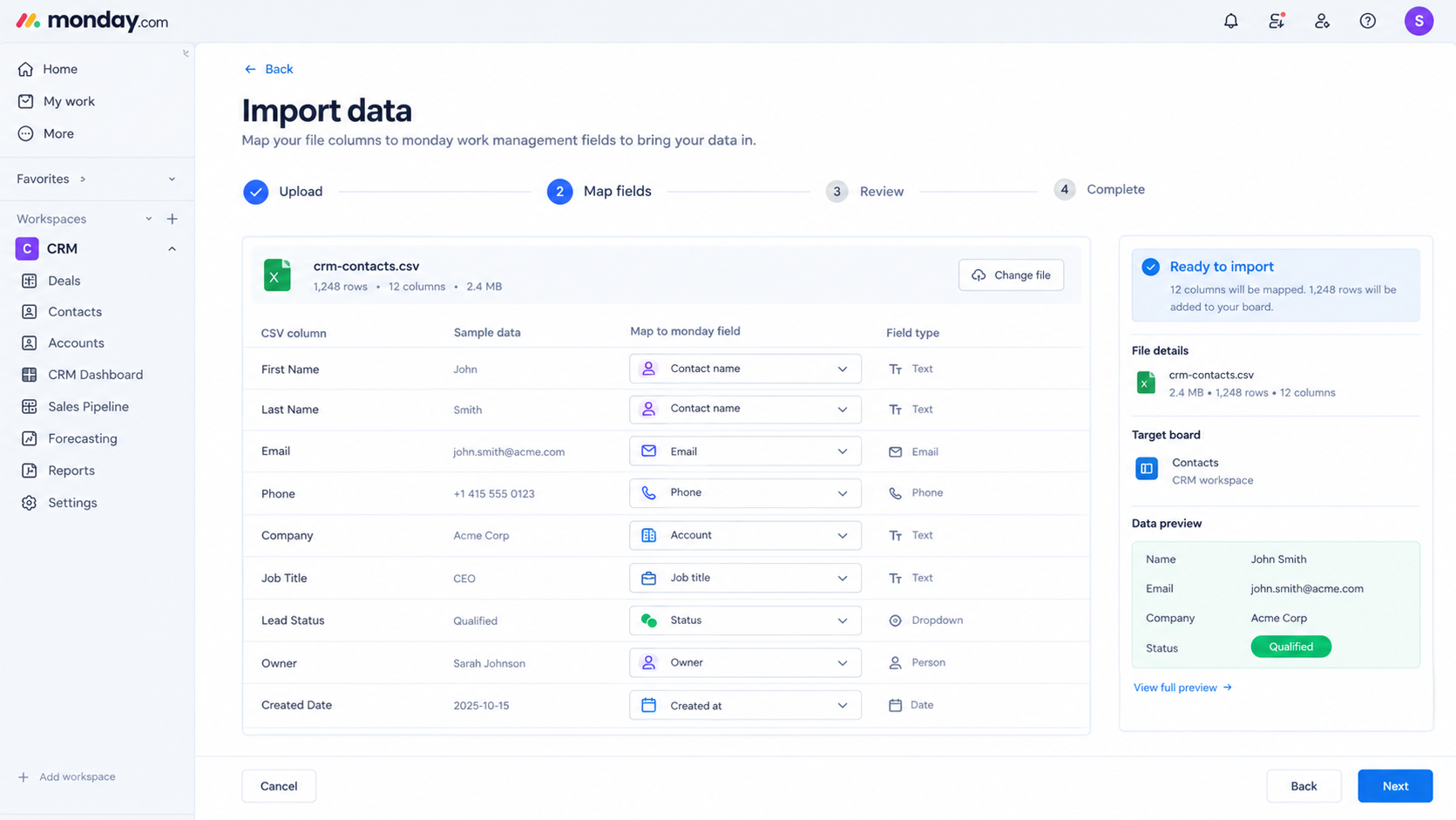 Signing up for monday CRM is the easy part — getting your team to actually use it well is where most small businesses either win or stall out. A proper implementation covers more than turning on the software: it means migrating clean data, building pipeline stages that mirror your real sales process, setting up automations that remove manual work, and connecting the integrations your team already depends on, like Gmail, Outlook, or your accounting tool.
A typical monday CRM implementation for a small business includes:
- Data migration and cleanup — moving contacts and deal history over from spreadsheets or a legacy CRM without duplicate records or formatting issues.
- Custom pipeline and board setup — configuring deal stages, labels, and views that match how your team actually sells, not a generic template.
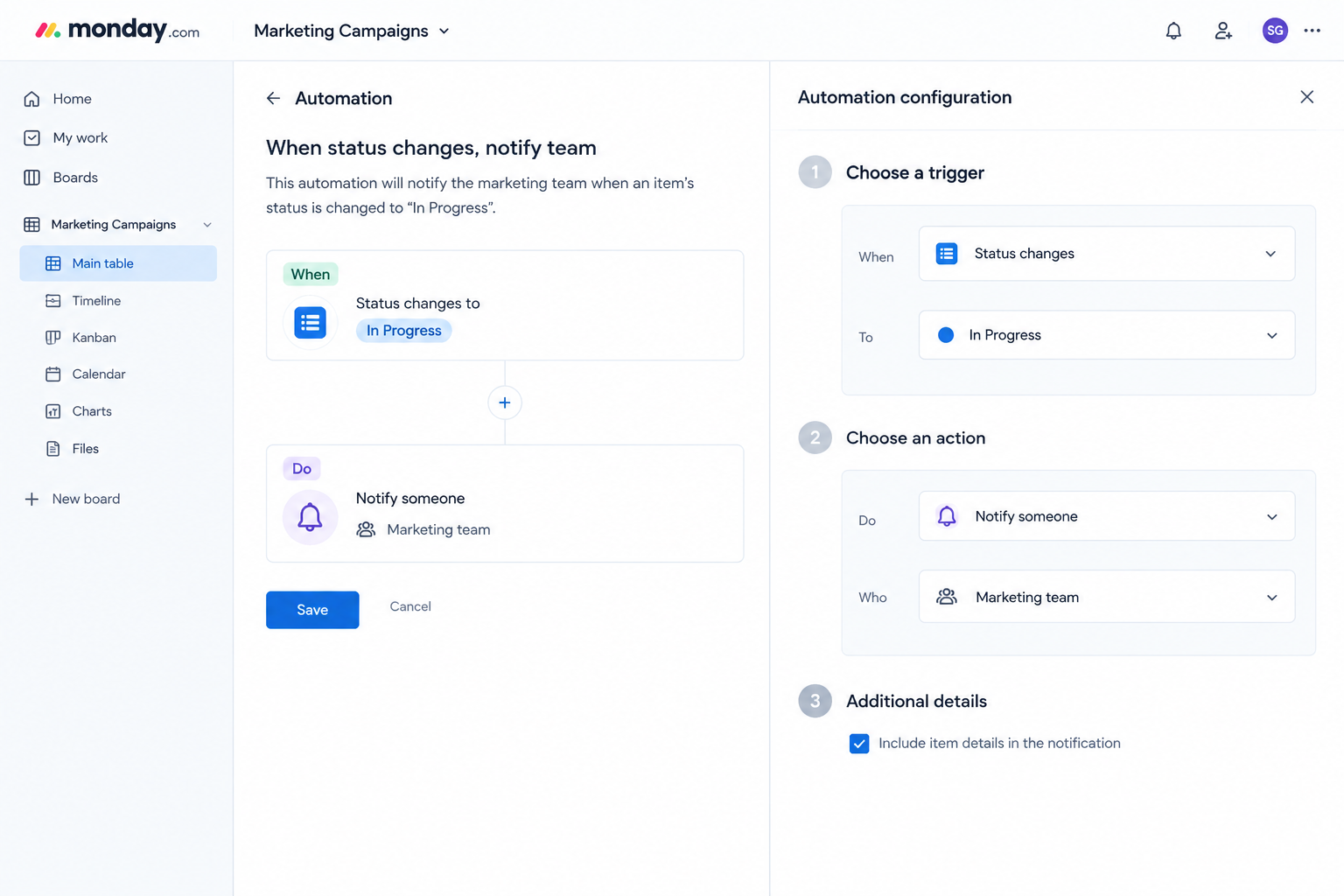
- Automation configuration — setting up no-code "if this, then that" rules for lead assignment, follow-up reminders, and stage-based task creation.
- Integration connections — linking email, calendar, and other core tools so activity logs itself instead of requiring manual entry.
- Team training and rollout support — hands-on onboarding so your team adopts the system in days, not months.
10. Why Choose Empyra for Your monday CRM for Small Business
Implementing monday CRM yourself is possible, but getting the setup right on the first try — without weeks of trial and error — is where a specialized partner like Empyra makes the difference. As a monday.com Platinum Solution Partner, Empyra brings certified expertise and direct platform know-how that most in-house teams simply don't have time to build on their own. Rather than a generic, one-size-fits-all setup, Empyra builds your monday CRM around your actual sales process from day one, so your team adopts it immediately instead of slowly abandoning it like so many CRM for small business tools before it.Here's what working with Empyra for your monday CRM implementation looks like:
- Process-first setup, not template-first — your boards, pipelines, and automations are built around how your team already sells, not a generic default.
- Faster time to value — a structured rollout gets your team logging real deals within days, not months of back-and-forth configuration.
- Automation built for your workflows — from lead routing to stalled-deal alerts, automations are configured to solve your specific bottlenecks, not just showcase features.
- Ongoing support post-launch — implementation doesn't end at go-live; Empyra helps refine workflows as your team and pipeline grow.
- Integration expertise — connecting monday CRM cleanly with your existing email, accounting, and marketing tools without messy workarounds.
11. Final Verdict: Best CRM for Small Business
There's no single best CRM for small business that fits every team — the right choice depends on your budget, team size, and how visual or automated you need your pipeline to be. That said, monday CRM consistently stands out among the best CRM for small business options for teams that want a highly customizable, easy-to-adopt platform that scales without forcing a painful re-implementation down the line. Pair that with the right implementation partner, and a CRM for small business stops being another piece of software your team ignores — it becomes the system that actually drives your revenue forward. The teams that get the most value aren't necessarily the ones with the fanciest features — they're the ones who actually use what they set up, consistently, from day one. Whichever platform you choose, the real win comes from picking a system your team will stick with, not the one with the longest feature list. Ready to stop losing deals to spreadsheet chaos? Book a free consultation with Empyra to get your monday CRM set up right the first time.
.png?width=364&height=116&name=sales%20radar%20ai%20logo%202026%20%20(280%20x%2084%20px).png)





.svg)